|
|
We're super excited to announce the release of new features that have been in beta for some time with some of our offices!
New Features: Online Appointments Patient Campaigns (SMS & Email) released in Beta Turn Mango Voice Missed Calls into Tasks for your Team via Webhooks Appointment Reminders Schedule View of Confirmation Status & Messages Activity Timeline Bulk importing of .doc / .docx files into Wiki Pages for importing SOP notes at once
Other Revamps / Improvements / Updates: SMS Shortcuts / Emoji Support on Patient Profile, Wiki Pages, and Patient Conversations In-line View of Wiki SMS templates into Patient Profile / SMS Convo pages Mark as Unread SMS message from Patient in Two-way Conversations Copying & Pasting of Images directly from the web onto a Wiki page Team Chat - Introduced Attachments / Images / Emoji support for internal office chat convos
Currently in Development: |
📆 Online Appointments
Most online bookings happen outside office hours, so you're filling chairs while the phones are off.
|
|
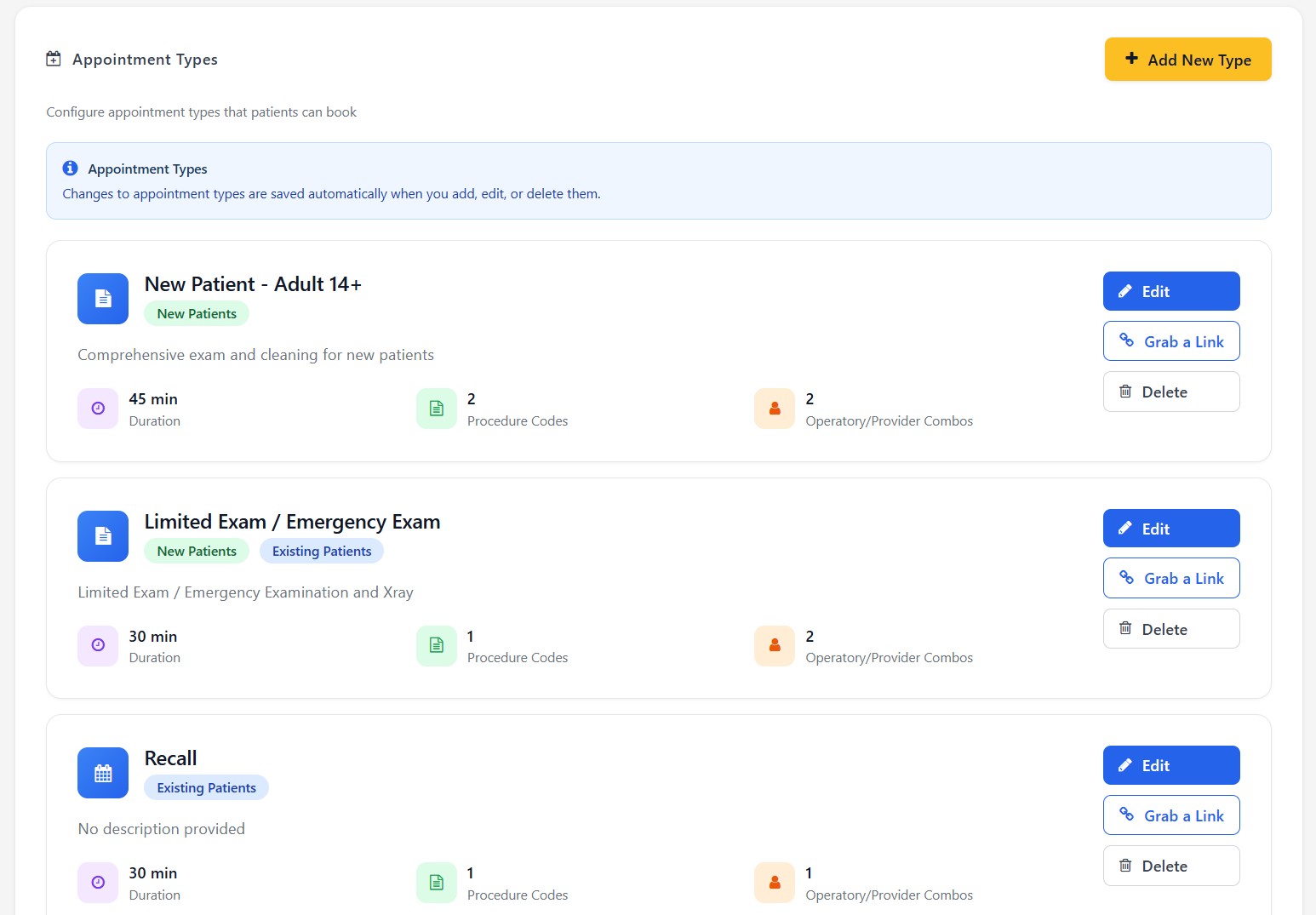
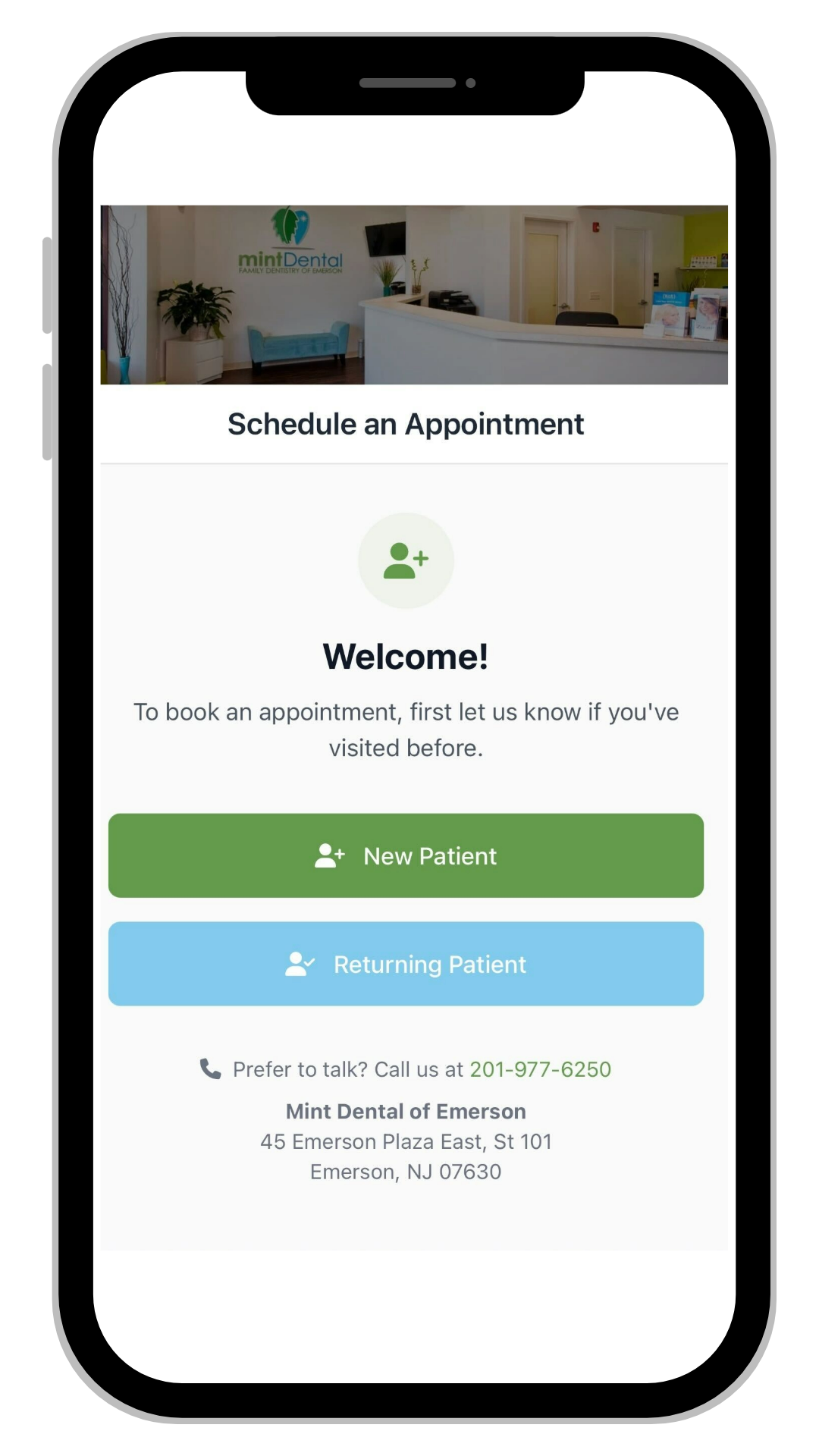
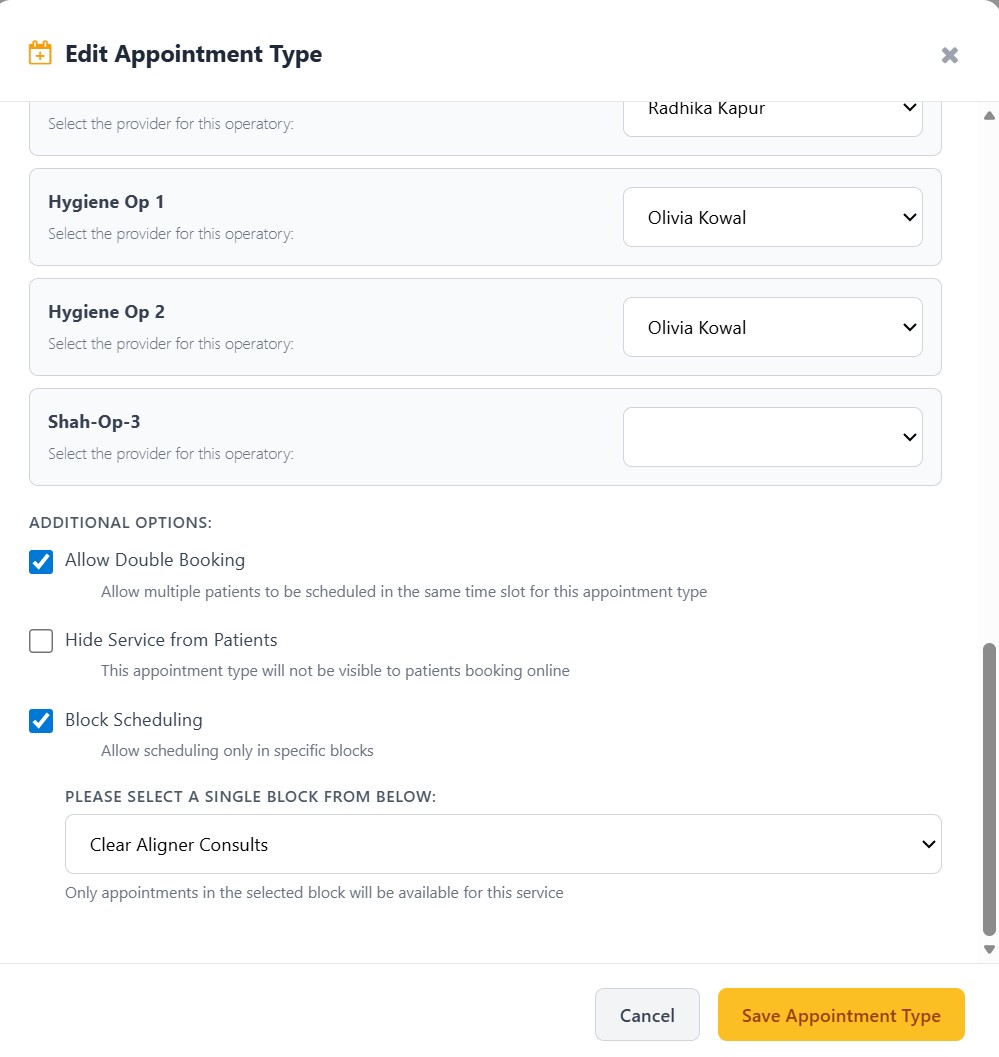
Fully customizable — Set appointment types, durations, eligible patient types, and which providers work in which operatories. Your online schedule mirrors how your office actually runs. Double-booking toggle - Allow overlapping appointments on high-demand slots when your workflow supports it (e.g., hygiene + doctor check) to maximize chair utilization without a separate workaround Block scheduling (restrict booking to specific schedule blocks) - Patients can only book during designated blocks — e.g., "Hygiene Hours" only. Keeps your template day intact; no random new-patient exams landing in hygiene blocks Multi-location ready — One booking system for all your locations. Patients choose their office, or give each location its own branded link. Insurance up front — Patients select their plan and see provider network status before they book. Fewer surprises at check-in, fewer "do you take my insurance?" calls. Branded to you — Your logo, your colors, your background image. It looks like your website, not a third-party tool. Drop a link anywhere — Generate short URLs for specific appointment types and paste them into texts, emails, or into your Wiki Templates. One tap and the patient is booking.
|
|
|
|
|
|
📢 Patient Campaigns (SMS + Email)
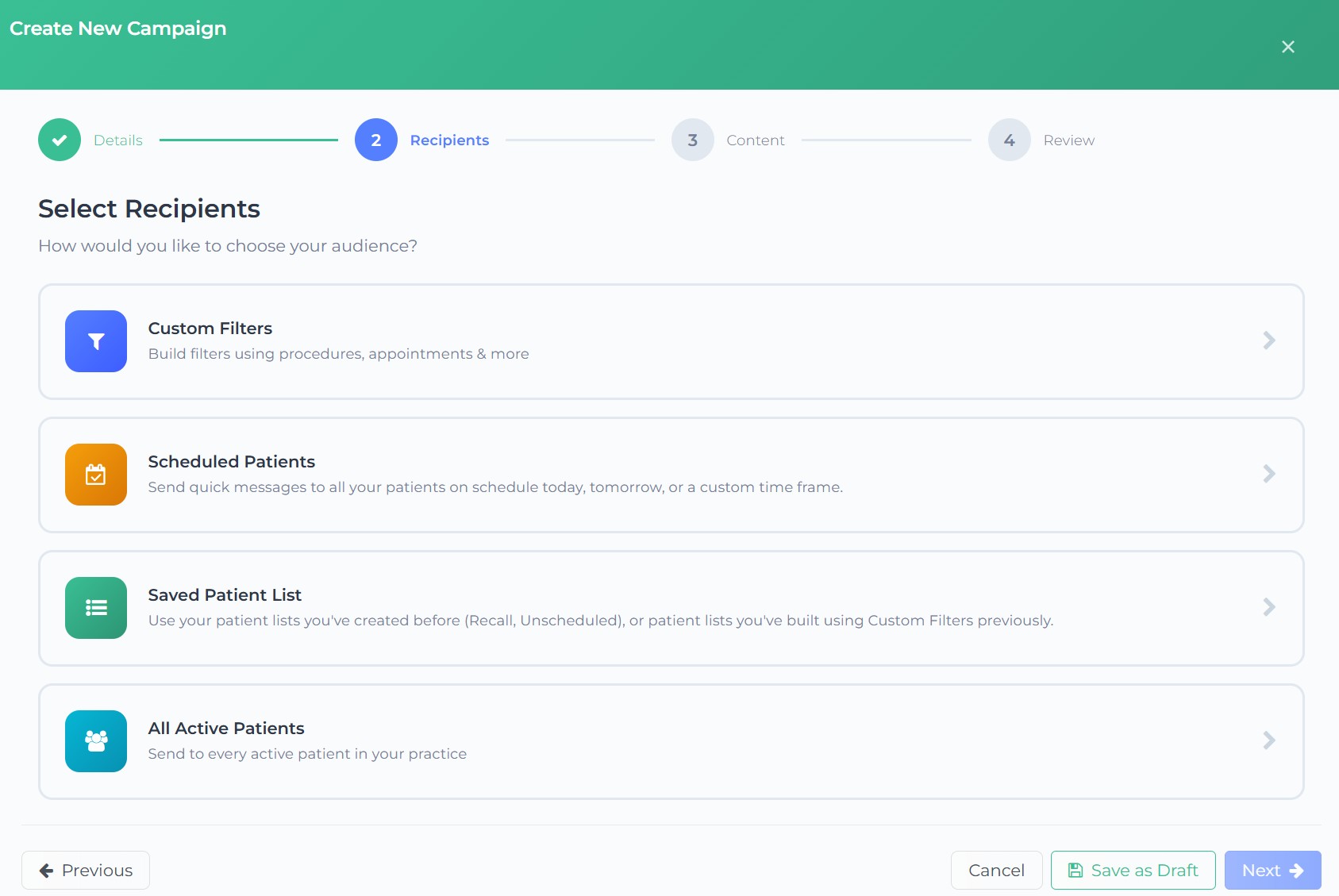
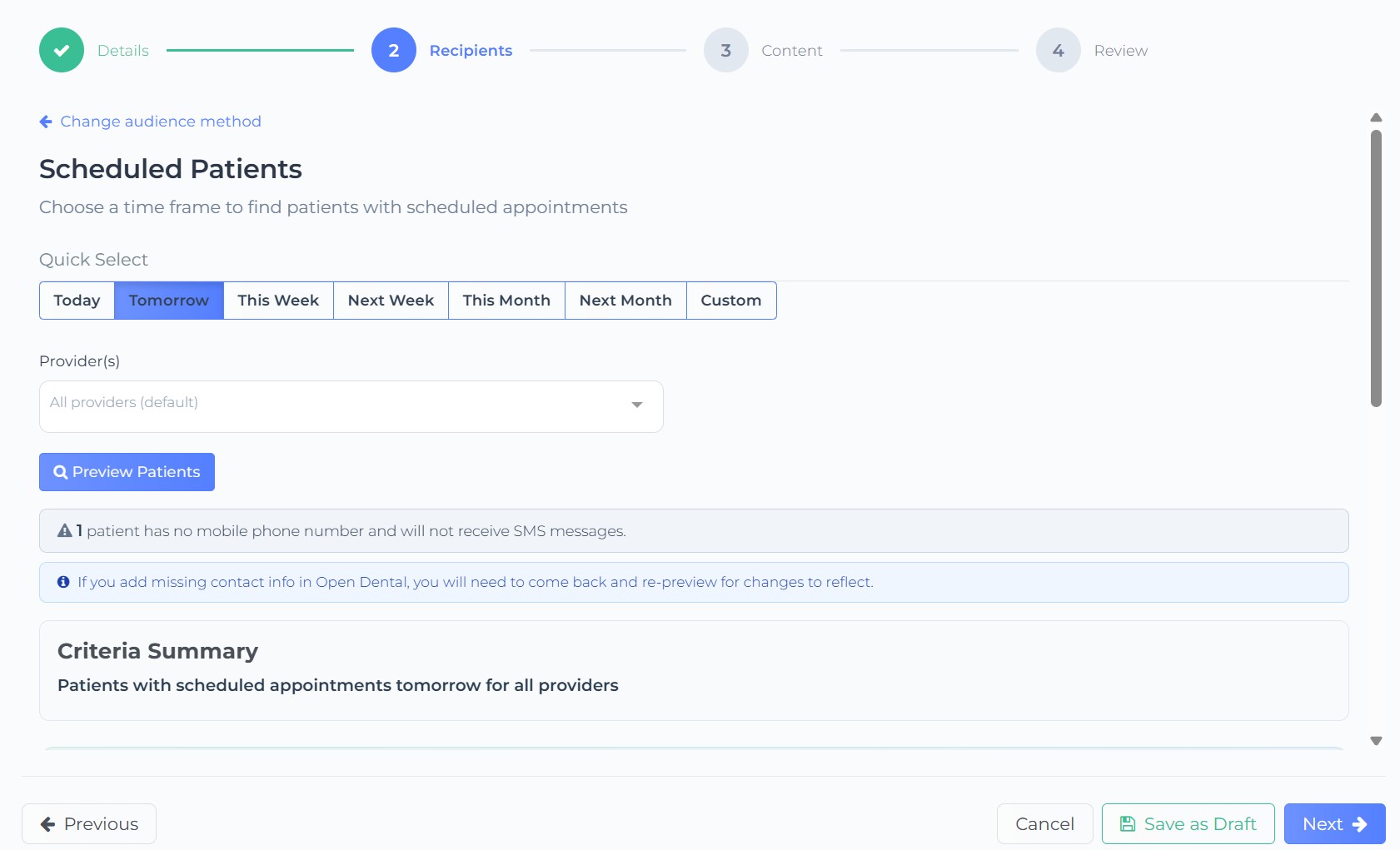
Reach every patient on their preferred channel without creating separate campaigns - No more choosing between text or email — send both at once!
|
|
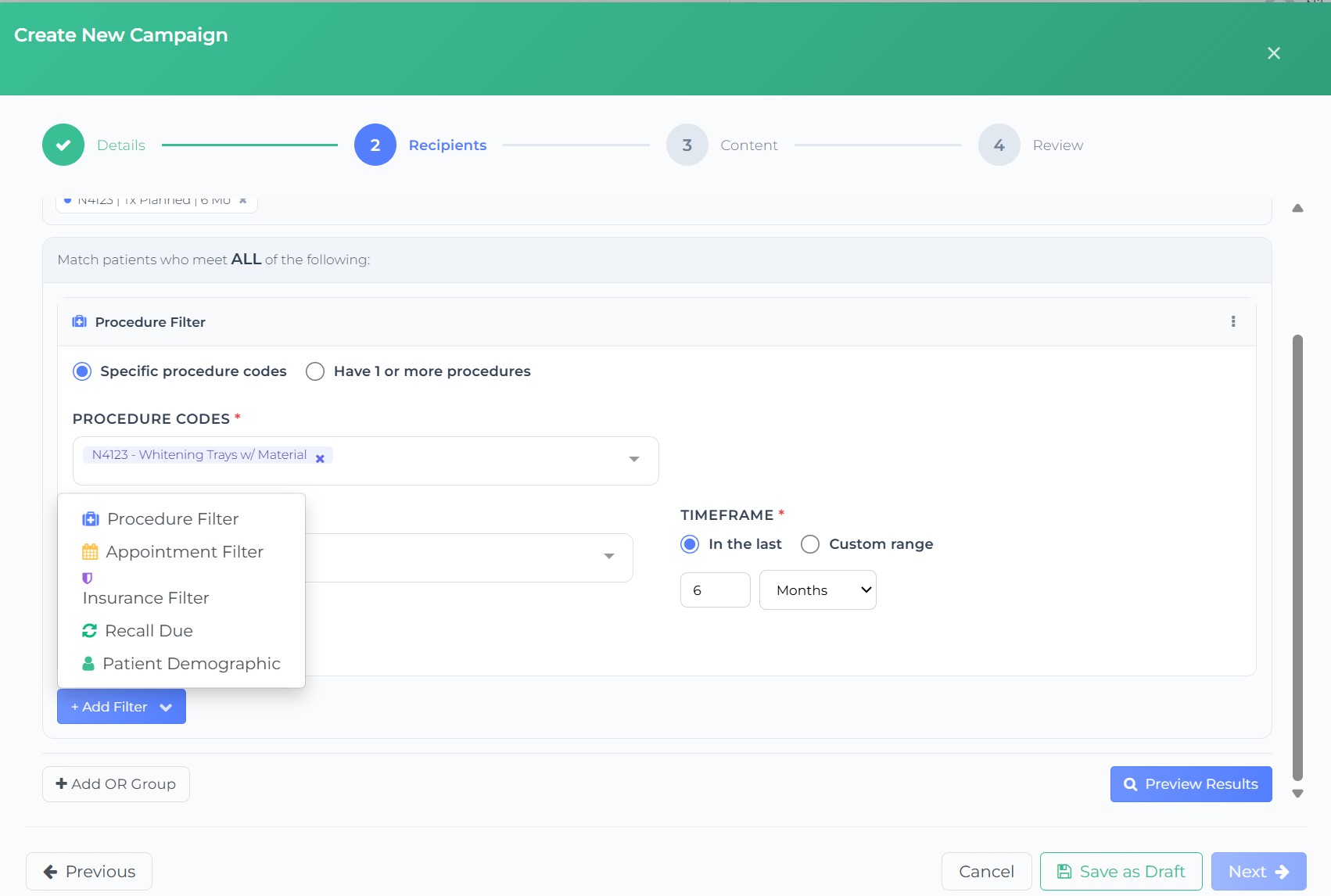
Custom filter system — demographics, procedures, appointments, recall, insurance, with AND/OR group logic
|
|
Target exactly the right patients: "adults 25+ with no visit in 12 months who have Delta Dental"
Eliminates pulling lists manually from Open Dental and exporting to a third-party tool |
|
|
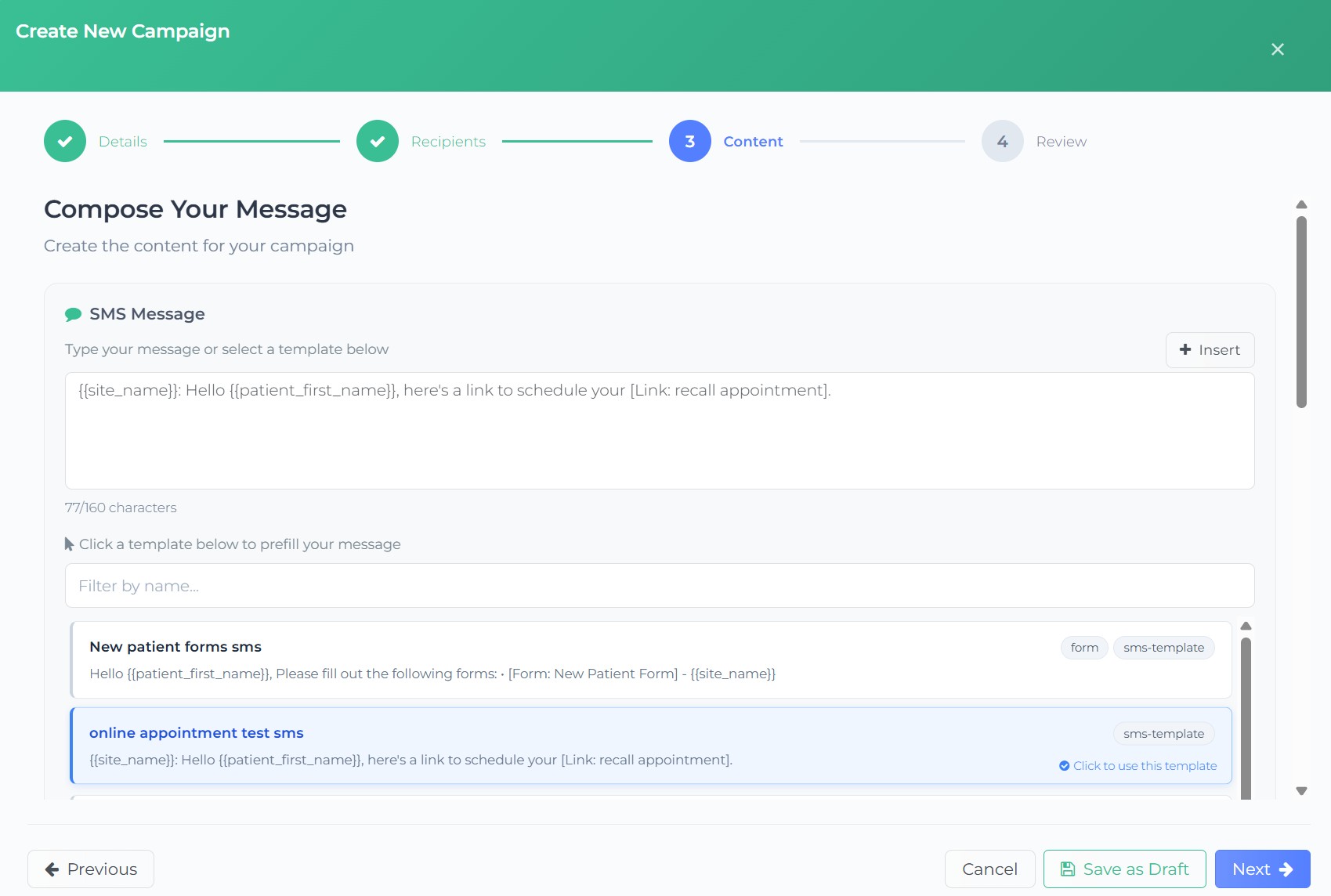
Templates & personalization — Save reusable templates with dynamic variables.
Send test before you send for real — Preview your message with real practice data and sample patient info. Catch issues before they reach inboxes. |
|
Schedule or send now — Write today, deliver Tuesday at 9 AM. Or save as draft and come back later. Reusable audiences — Save filter configs and patient lists. Rerun last month's recall campaign against fresh data with one click. Built-in analytics — Track delivery, opens, clicks, bounces, and spam complaints per campaign. Drill down to individual patients.
|
|
☎️ Mango Voice: Turn Missed Calls into Tasks for your Team via Webhooks
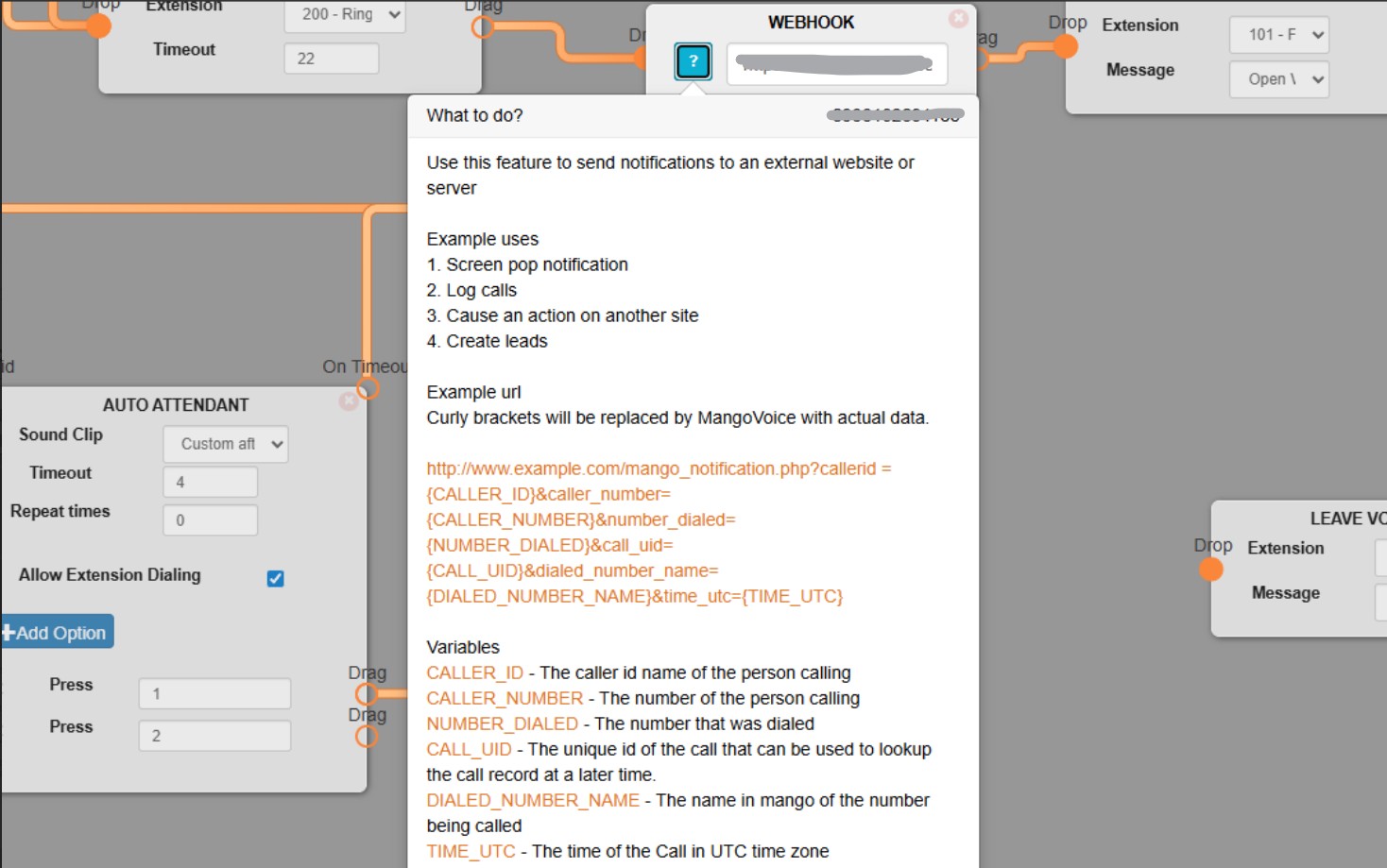
When your team misses a call during office hours, or during lunch time - you can set up custom routing directly from within your Mango Dashboard to invoke a custom Webhook to our external URL.
End result:
A Teamio Task automatically gets created and assigned to a team member with the patient name and the call number.
This was a feature request by Dr. Calvin Eastwood from Summerbrook Dental in Forth Worth, Texas.
|
|
|
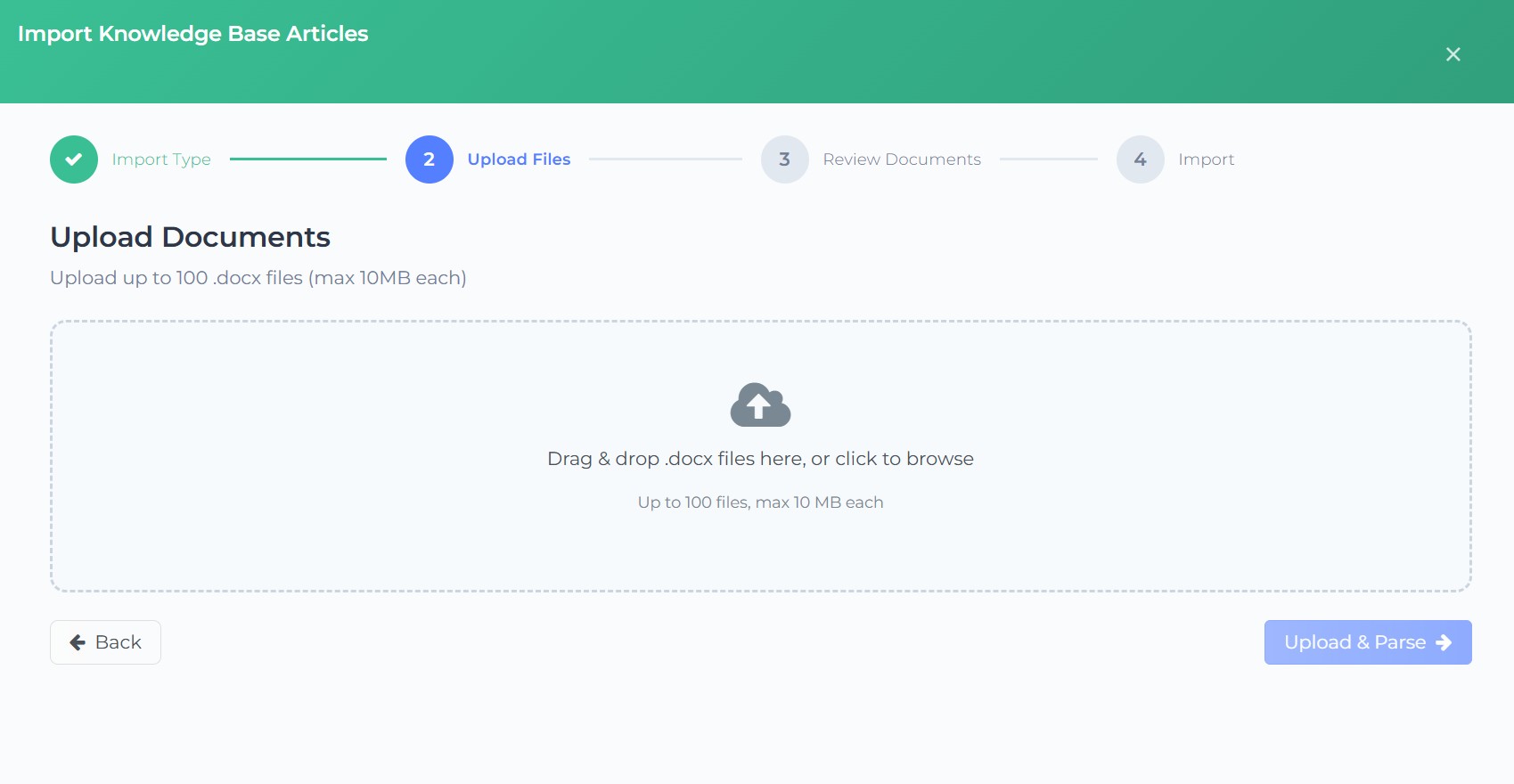
📥 Bulk importing of .doc / .docx files into Wiki Pages
Lets users bulk-import up to 100 Word (.docx) files into the Knowledge Base as wiki pages, with a 4-step wizard UI.
Drag-and-drop or file browser, up to 100 files, 10 MB each
The treatment coordinator from one of our client offices, Smile Bar, in Alberta, Canada, had a need to bulk upload 50+ SOP documents into our Wiki.
To ease the process of porting their SOP documents onto our Wiki system, we created a bulk upload, which took care of this in a few minutes!
We've also added support for copying & pasting images directly from the web onto a Wiki Page.
|
|
|
Appointment Reminders Schedule View of Confirmation Status & Messages Activity Timeline
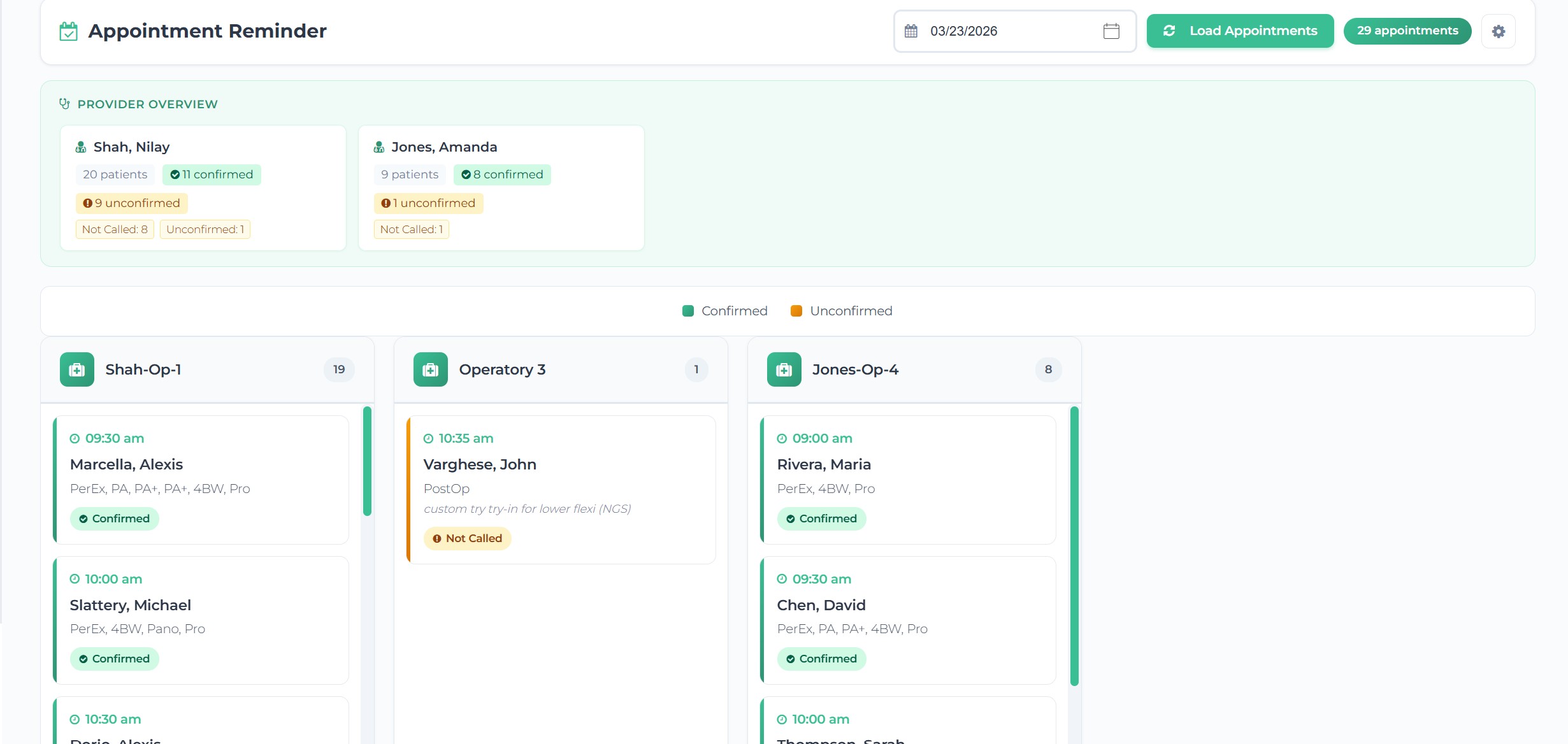
📅 Schedule view of Patients on schedule with confirmation statuses
Look at your future schedule and get a quick glance of who's confirmed and who's not - by Providers on schedule.
|
|
|
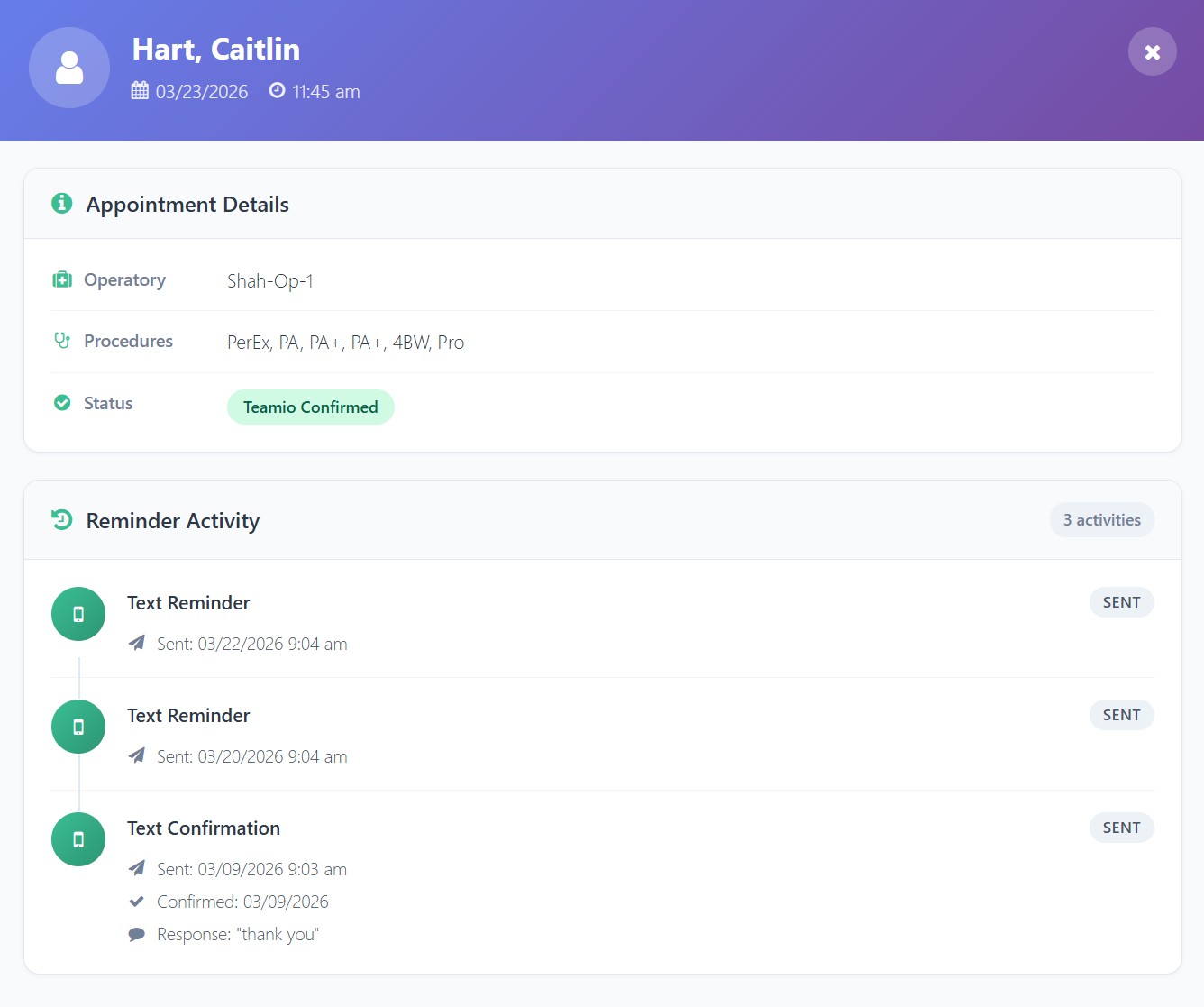
⌛ Reminders & Confirmation Messages Activity Timeline
Never have the patient tell you "I never got your messages"
With a click of a button, get a complete history of outbound auto reminder and confirmations messages and patient responses.
|
|
|
|
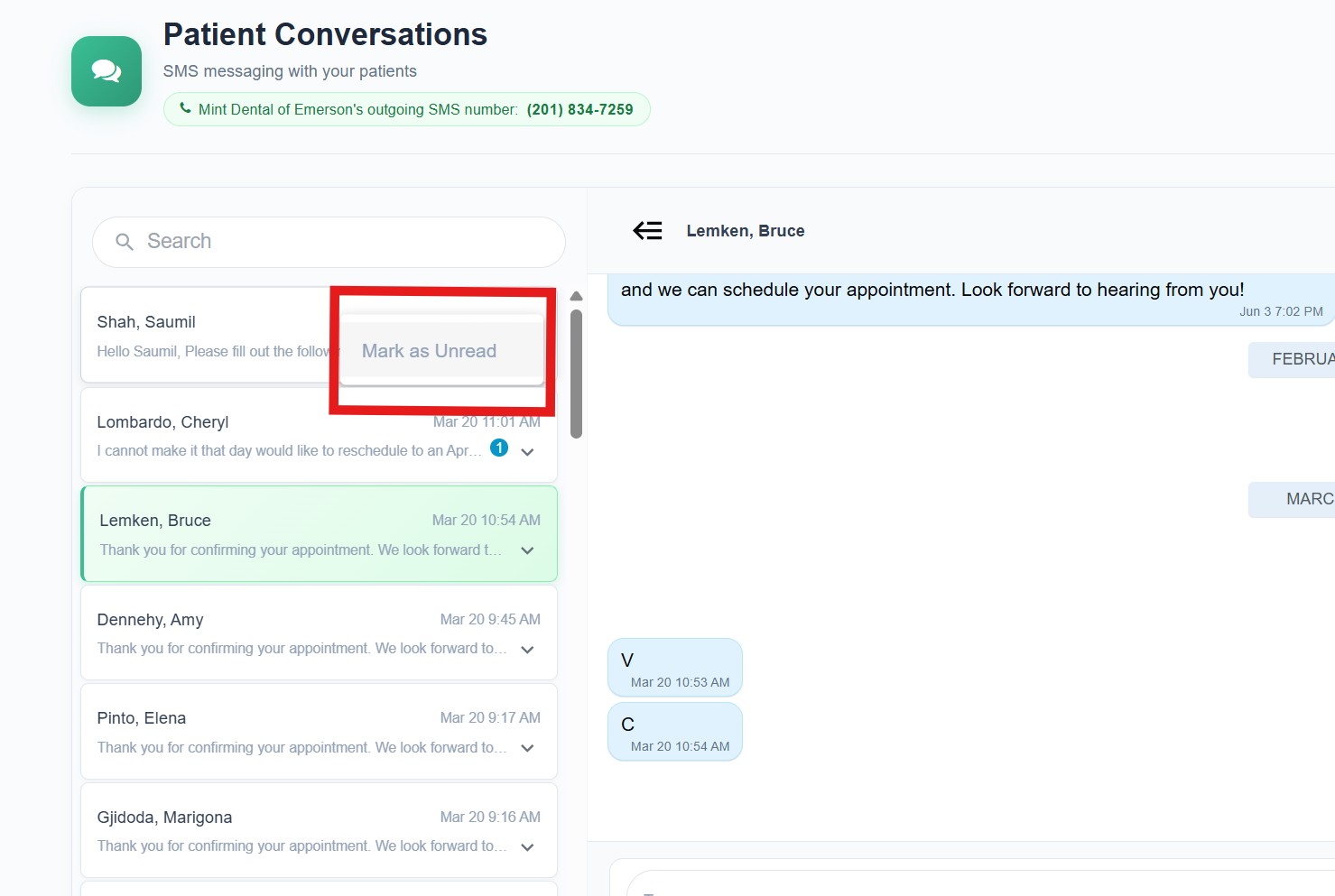
💬 Mark as Unread SMS message from Patient in Two-way Conversations
When you're scrolling through the patient conversations on the two-way chat screen, you read the message, but you realize you want to mark it unread, so your team doesn't miss it.
This was a feature request by Dr. Tanya Rajdev of of Allay Dental Group, Clayton, NC.
She recently transitioned over from PatientXpress to our full Patient Engagement Platform
|
|
|
👥 Team Chat - Introduced Attachments / Images / Emoji support for internal office chat convos
For office internal chat, we've added support for sending attachments / images.
This was only on Patient Conversations, but we've also introduced it within Team Chat.
This was also a feature request by Dr. Rajdev.
|
|
|
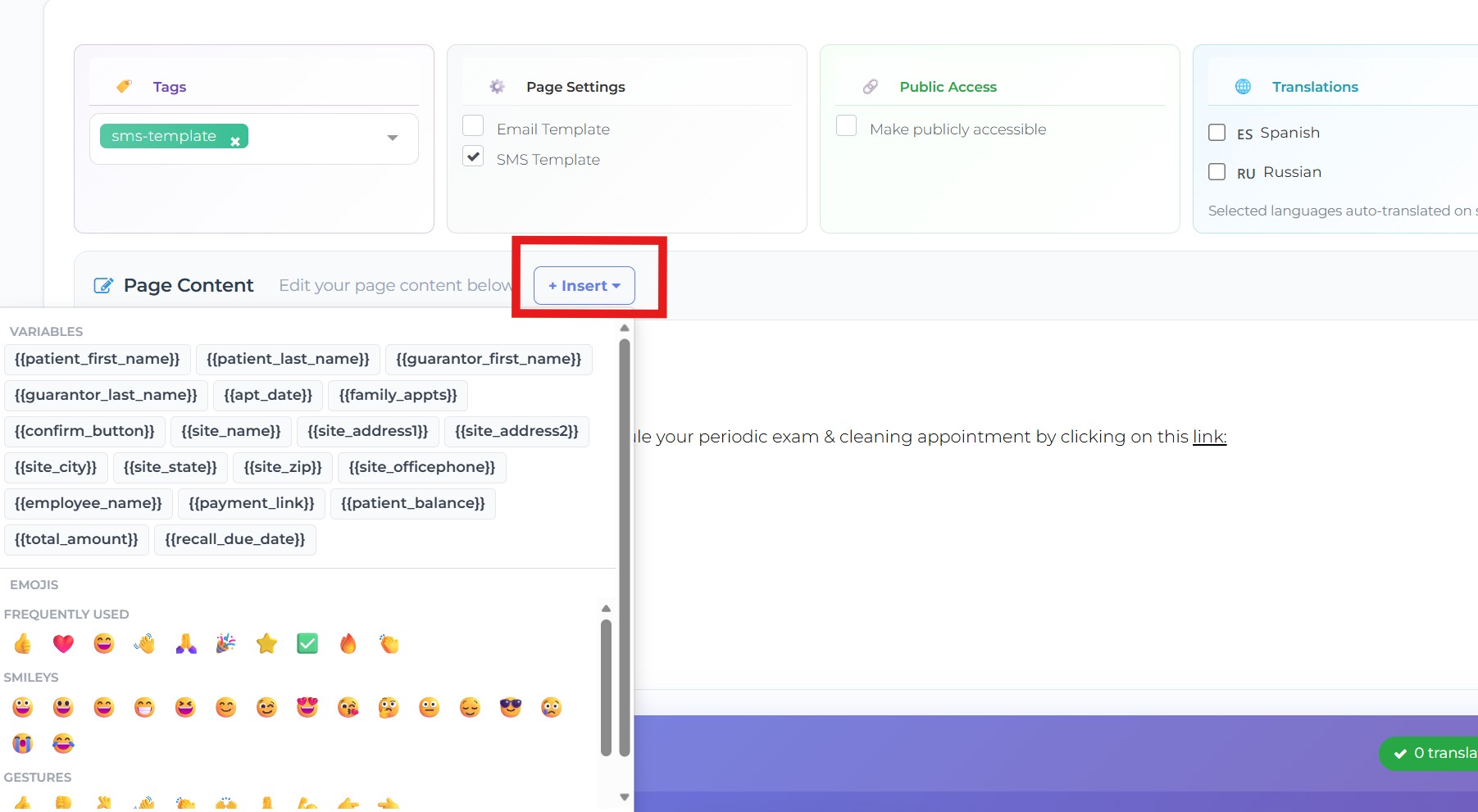
😀 SMS Shortcuts / Emoji Support on Patient Profile, Wiki Pages and Patient Conversations
You can quickly add dynamic variables where your mouse is focused and emojis when you're creating or Editing a Wiki page.
The same Insert button is introduced on Patient Profile as well as the Patient Conversation pages. |
|
|
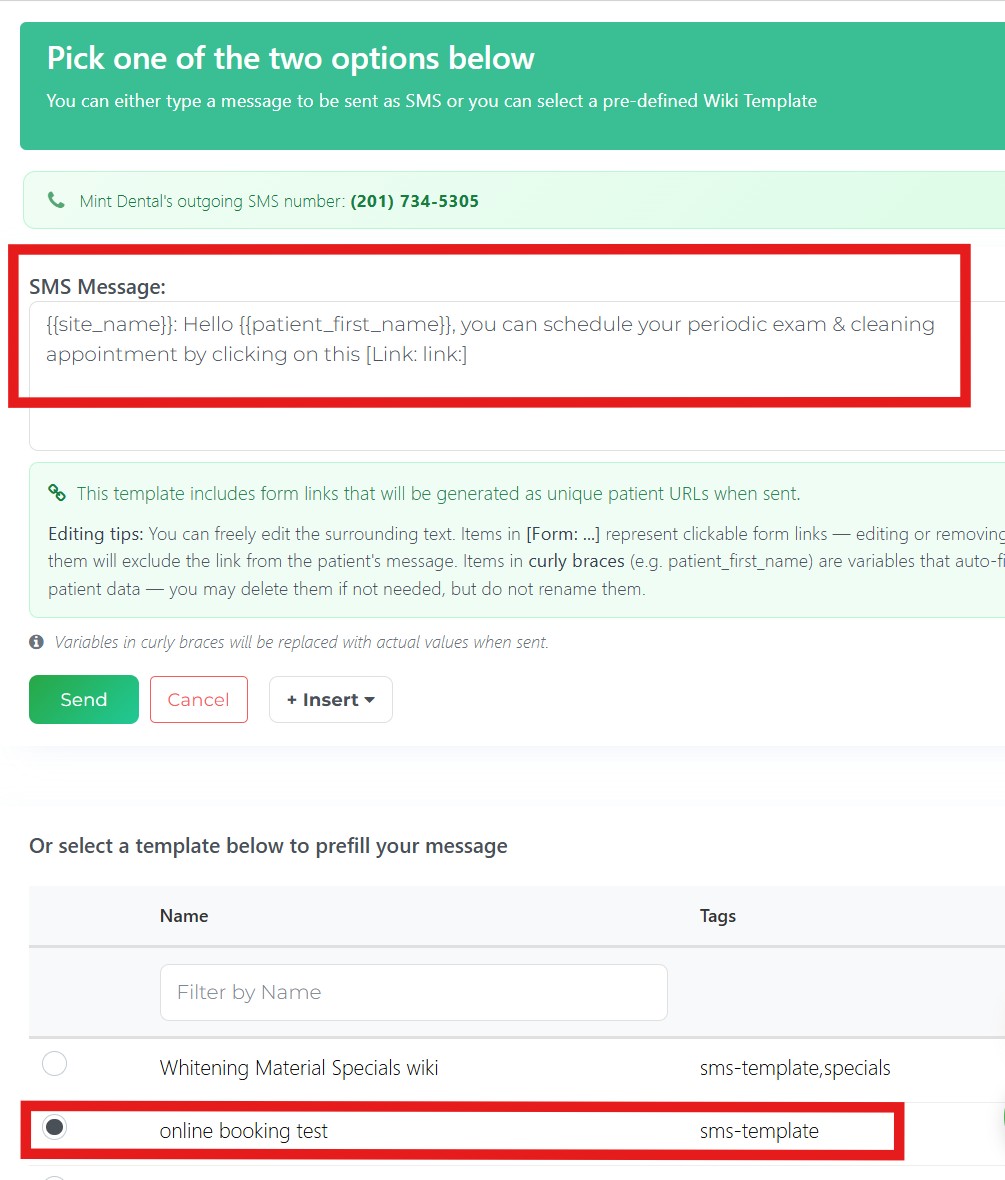
📝 In-line View of Wiki SMS templates into Patient Profile / SMS Convo pages Input Boxes
When you're sending a text to a patient from their Patient Profile or from Conversations page by selecting a WIKI SMS template, you'll immediately be able to see contents in-line directly within the input box for your message and make changes if you need. |
|
|
🛠️ Currently in Development:
Automated Email Reports End of Day / Week / Month - daily, weekly, monthly reporting of details you want customized to your practice sent whenever you want to your emails - this will be available to all of our offices on any Teamio subscription at no extra cost Treatment Presenter Moolah Integration for Payments and Payments options with Treatment Presenter
|
|
p.s. After this update goes live, don't forget to do a hard-refresh (Ctrl+Shift+R on Windows, Cmd+Shift+R on Mac) to load the latest version.
p.s.s If you're not using Teamio yet, and are looking to streamline your operations and put systems in place that drive ACTUAL RESULTS - schedule a one-on-one call to get an in-depth look at how our Open Dental offices are utilizing Teamio! |
|
|