|
|
We have a TON of updates to our platform! Scroll all the way to the bottom to see what's in the pipeline for the future..
|
📄 Forms New Features and Updates
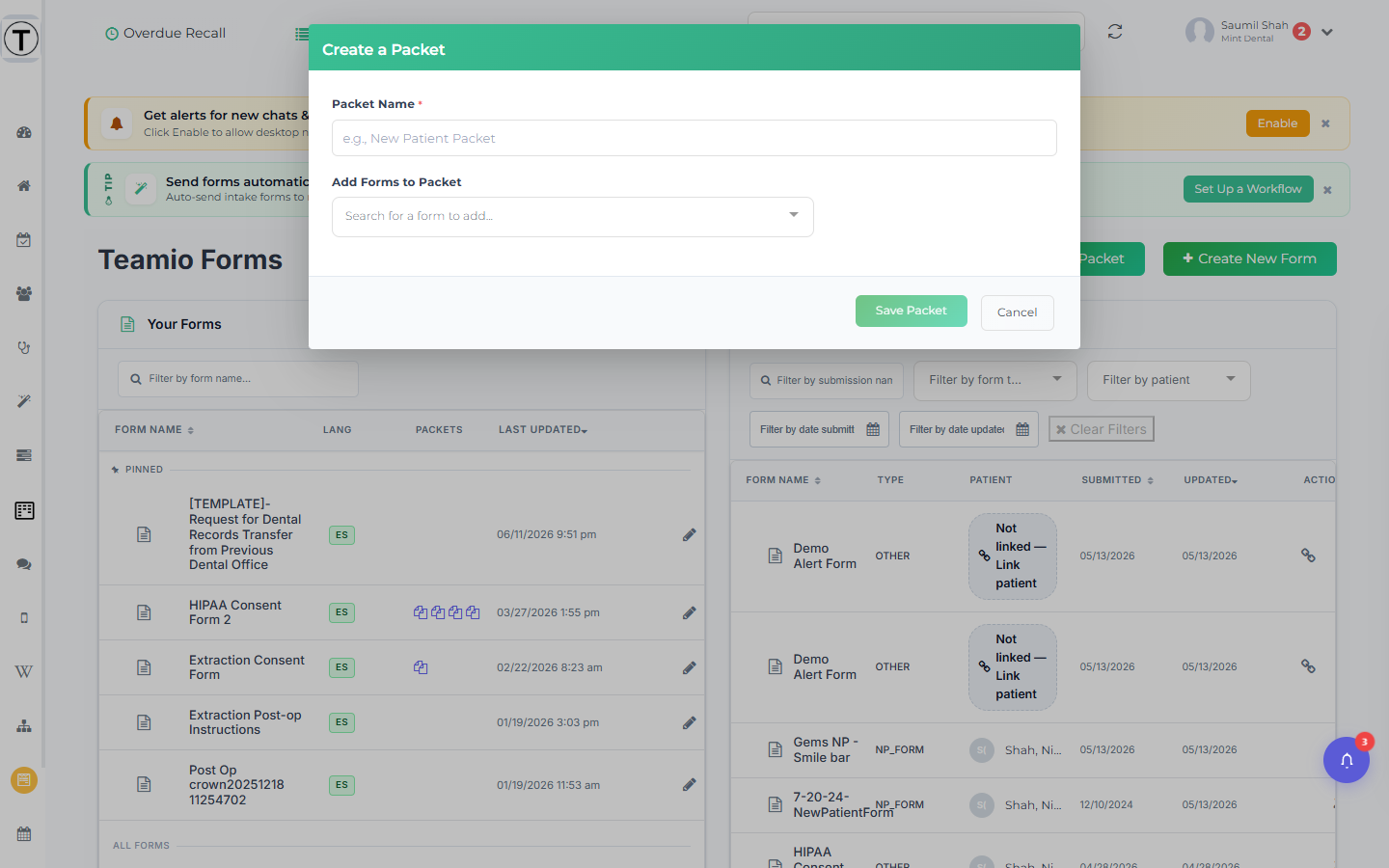
Packaging up multiple forms into one for Packets:
A packet sends several forms as a single link — the patient finishes one and rolls straight into the next. Typical use: new-patient intake + medical history + consents in one sitting.
|
|
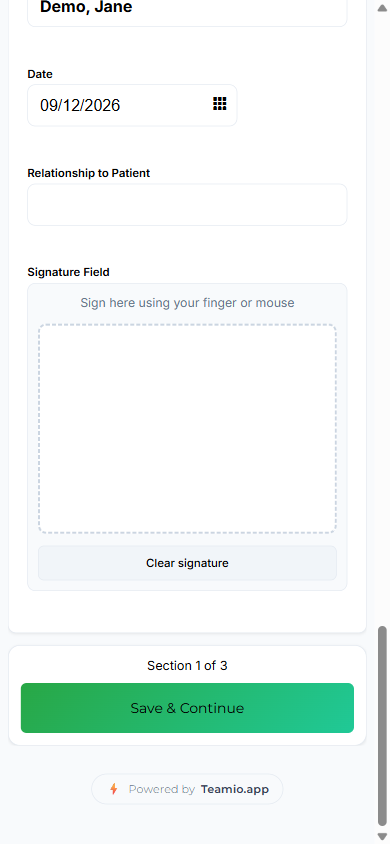
Ability for Patient to pick up where they left off: The progress strip and Save & Continue
On every form in a packet, a strip appears under the practice logo showing the packet name and the section count, with a progress bar underneath — for example New Patient Packet · Section 1 of 3.
If a patient closes the packet partway through and later taps the same link again, Teamio skips every section they already submitted and lands them on the next unfinished one — with the true position, so someone who finished sections 1 and 2 of a 5-form packet sees Section 3 of 5, not “Section 1.” |
|
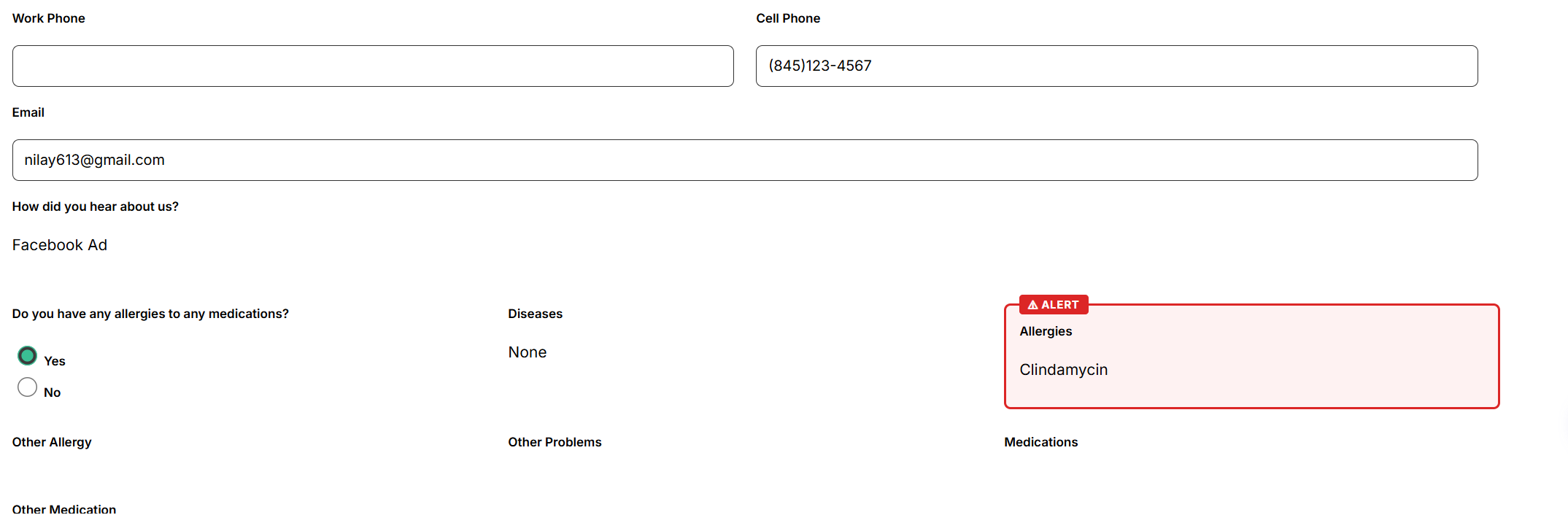
Highlighting for Allergies / Medications / Problems:
Turn on custom Highlight Alerts if a patient is on a specific medication, or has allergy to a specific thing you want highlighted.
This way the team doesn't miss it while they're viewing it on the console or from the PDF in Open Dental.
Patients never see the highlight while filling out the form.
|
|
|
|
Added the ability to make Photo Uploads / File uploads a Required Field
This wasn't possible before.
But if you want your photo uploads a required field (upload of a photo id) on any form, now you can do it easily via the Component Configuration Panel when in Form Edit mode.
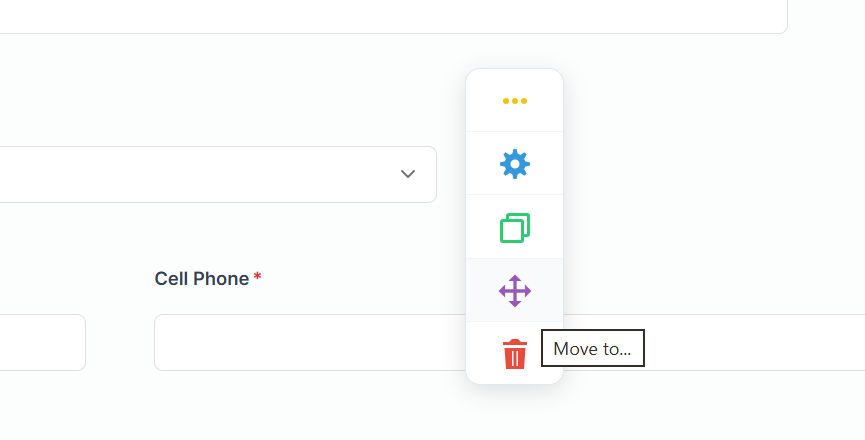
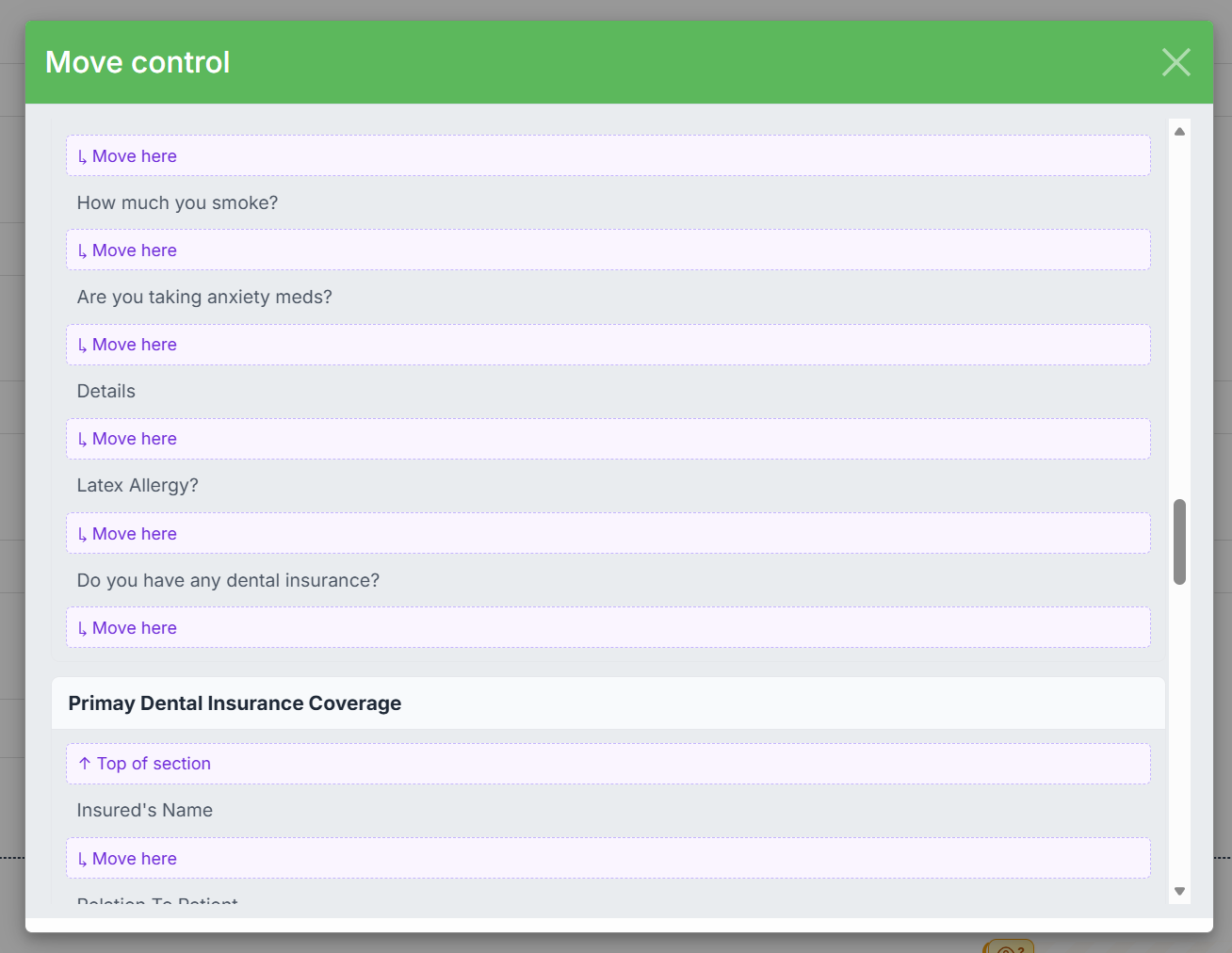
Move components anywhere on the form or within a section with ease instead of drag & dropping / scrolling through the whole form
|
|
|
👉 Campaigns Update
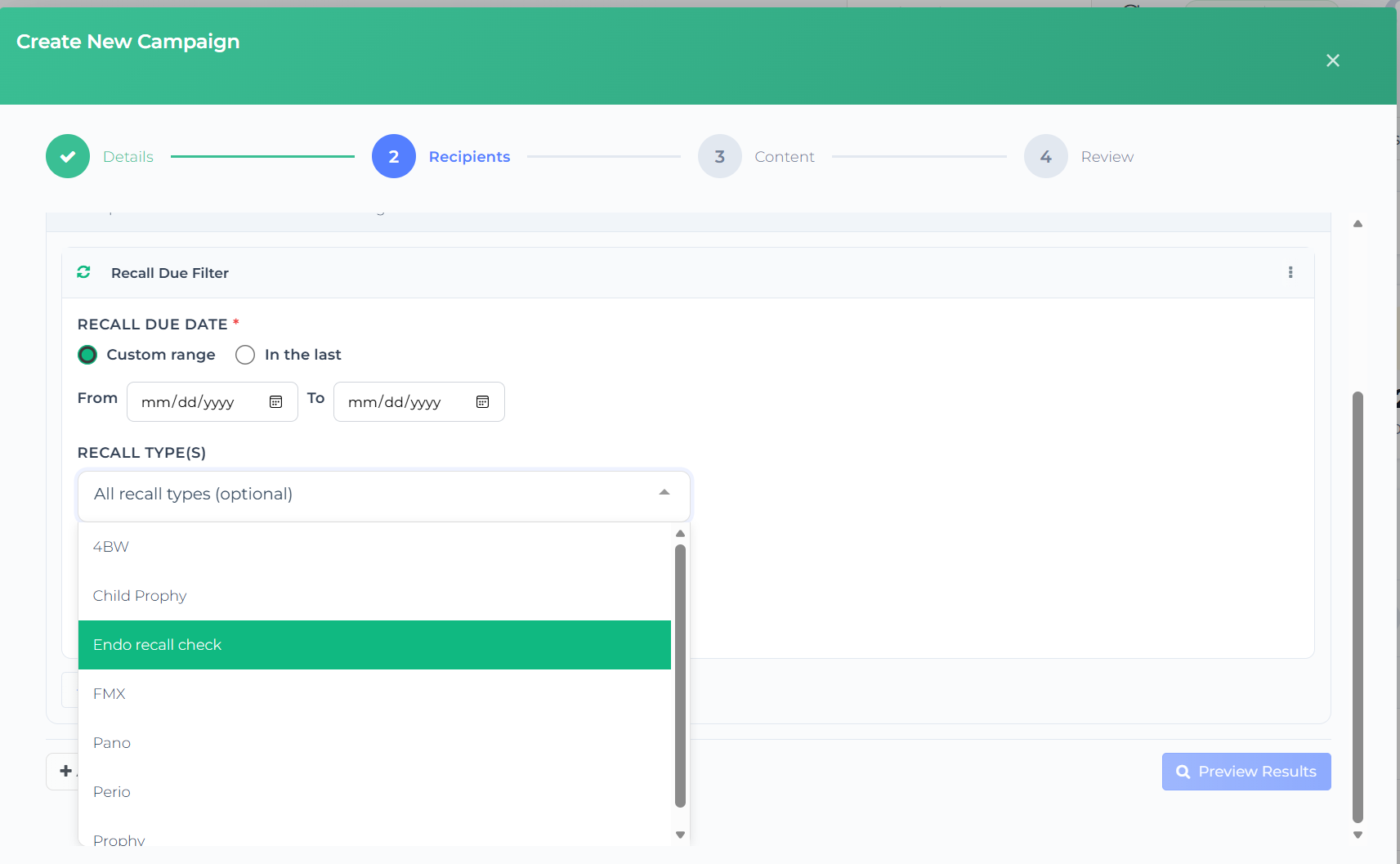
Added Recall Types Filter for Custom Audience Creation
When creating an audience to send out a Campaign, from all the filters available, when you select Recall Due Filter - we've added Recall Types filter to match the Overdue Recall list.
|
|
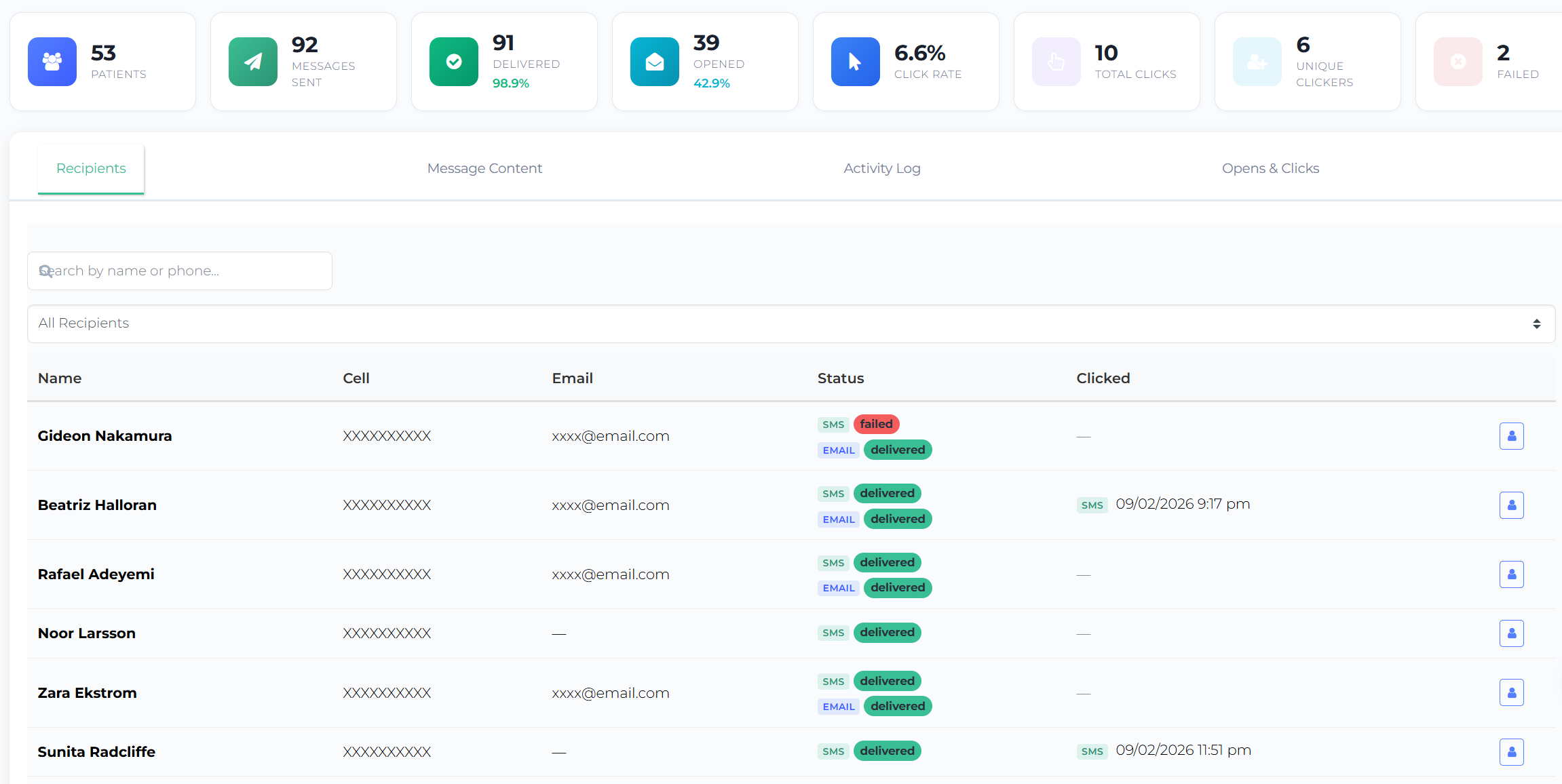
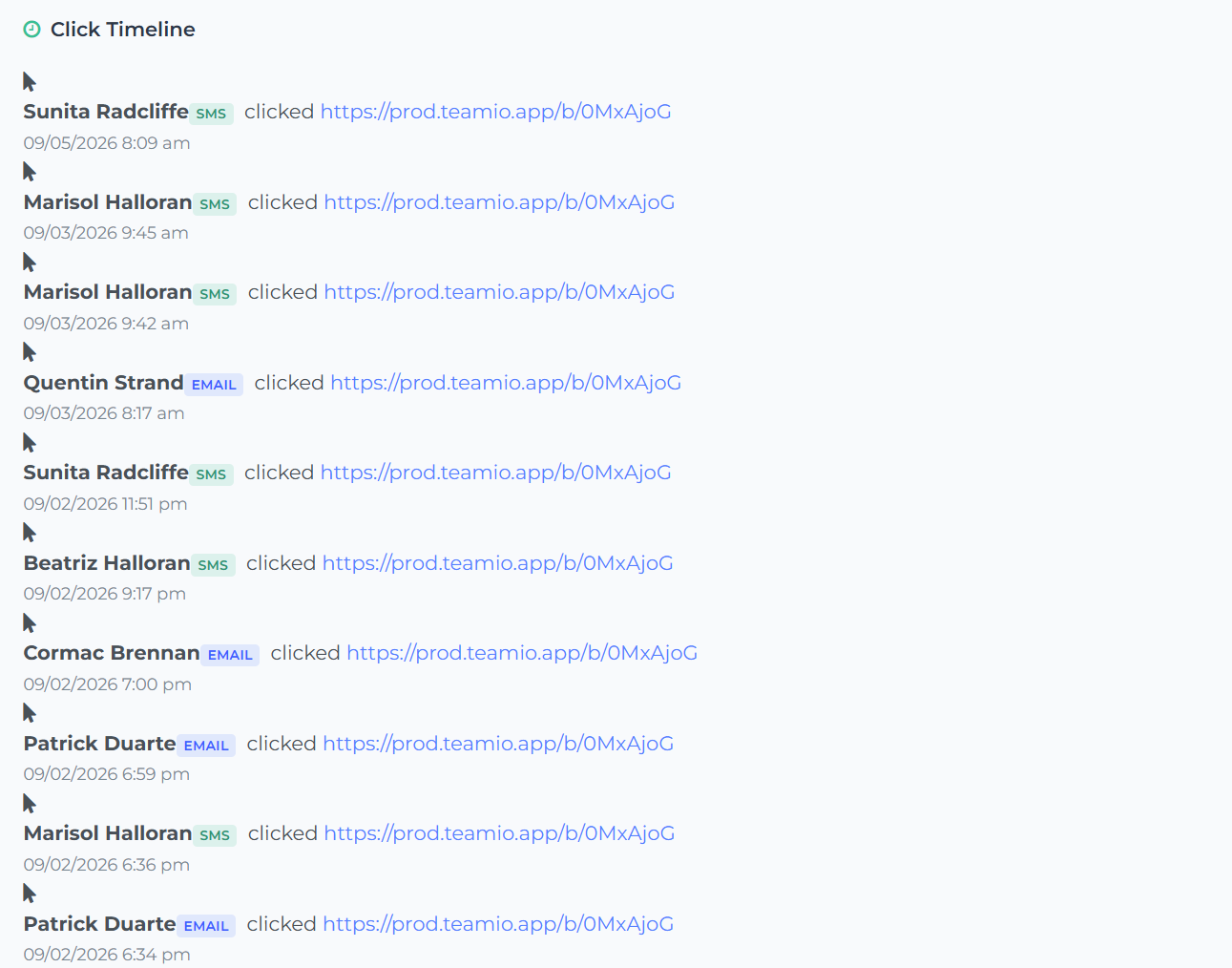
Campaign Report Upgrade: Know exactly WHICH PATIENTS opened your email and actually clicked on the links within your SMS/email
|
|
|
|
|
|
|
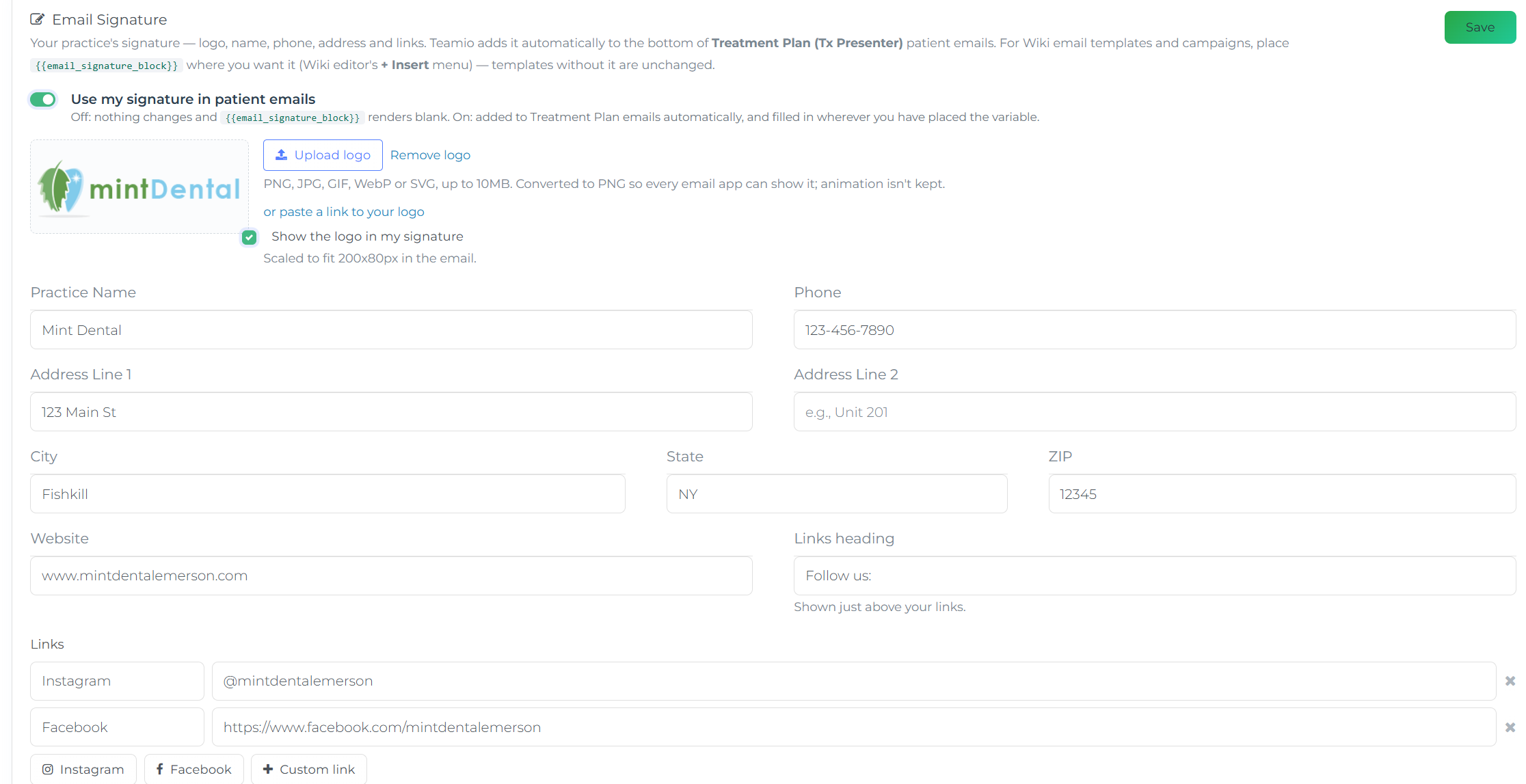
⚡ Custom Email Signatures
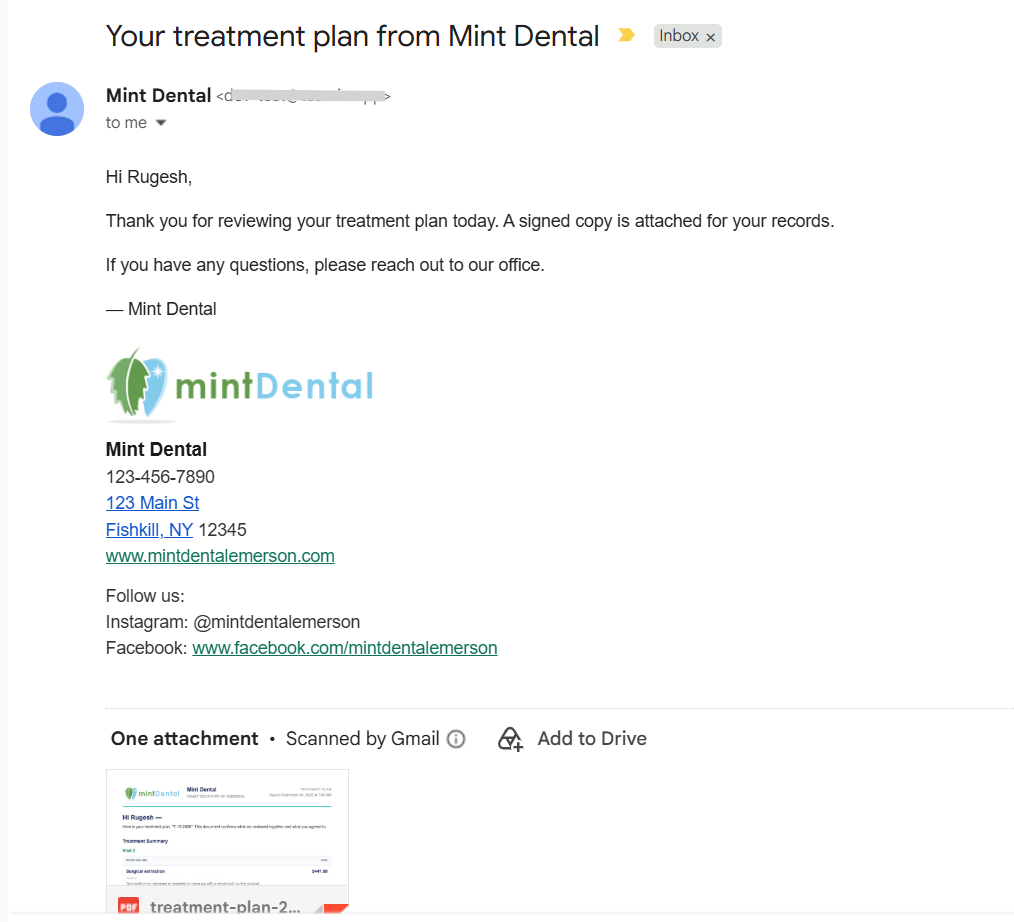
Your practice’s email signature — logo, name, phone, address and links — is set up once, in one place.
Treatment Plan emails and the emails you write from a patient’s profile pick it up automatically.
To place it in a Wiki email template or a campaign, add the email_signature_block variable where you want it. Templates without the variable are unchanged.
|
|
This is what it looks like in use: |
|
|
|
⚡Patient Profile Updates
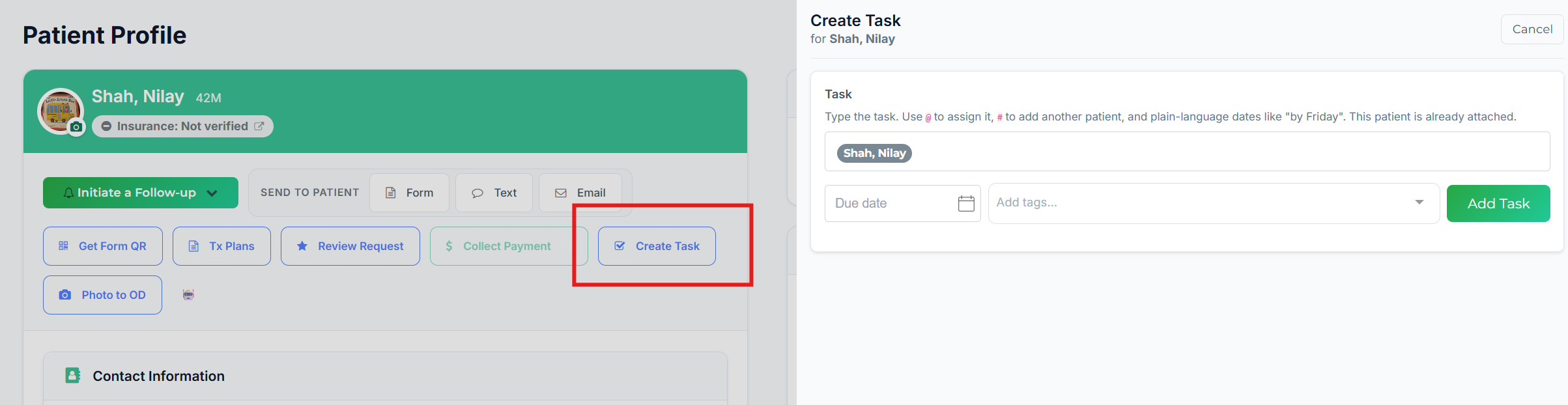
Create Tasks for patients with automatic tagging - directly from Patient Profile
|
|
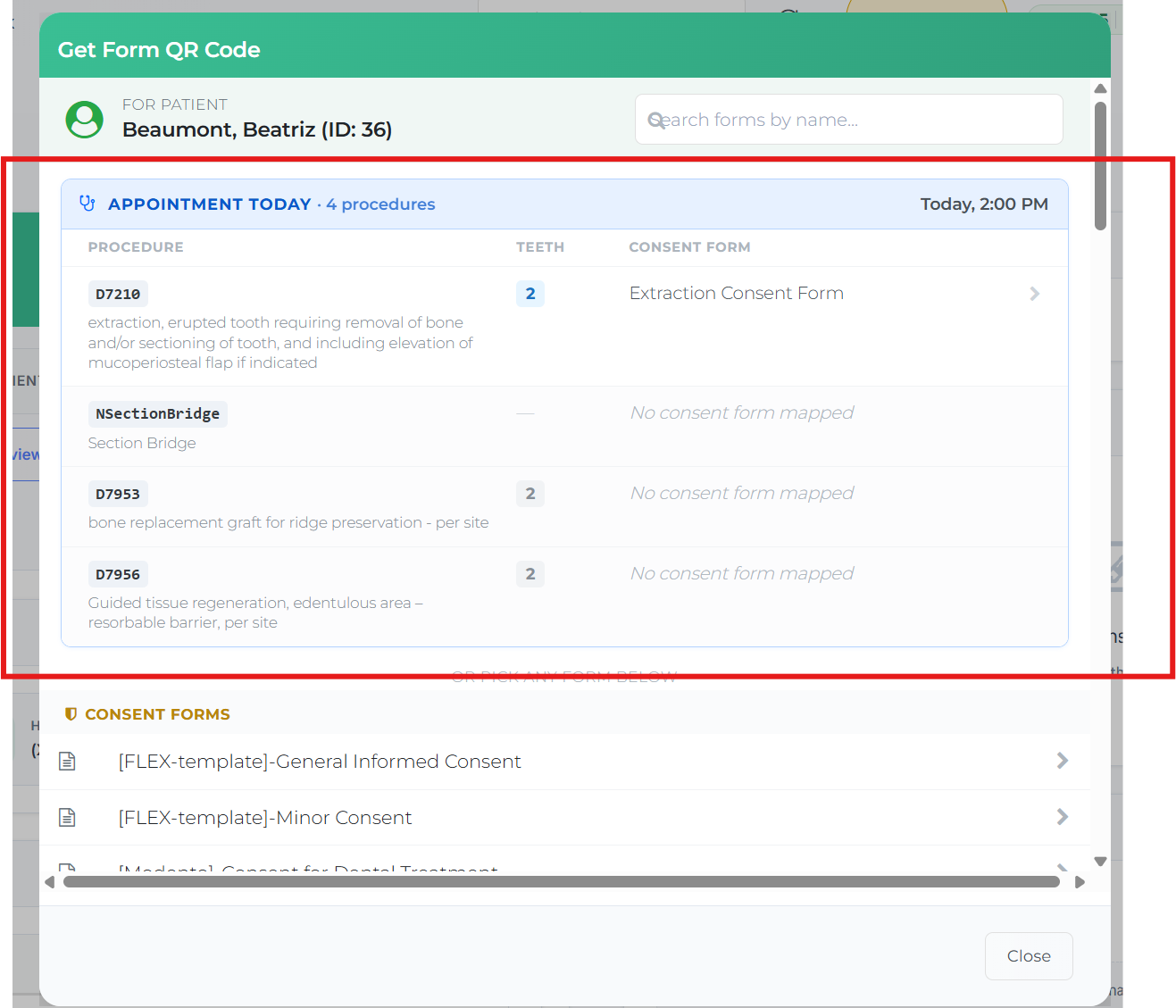
Send Consent forms updated for Appointment on schedule with procedural mapping (Faster Workflow)
If you've completed Procedural Mappings to Consent Forms (Forms or Tx Presenter) - you can now quickly pull up exact consent forms for today's or future appointments directly from Patient Profile
|
|
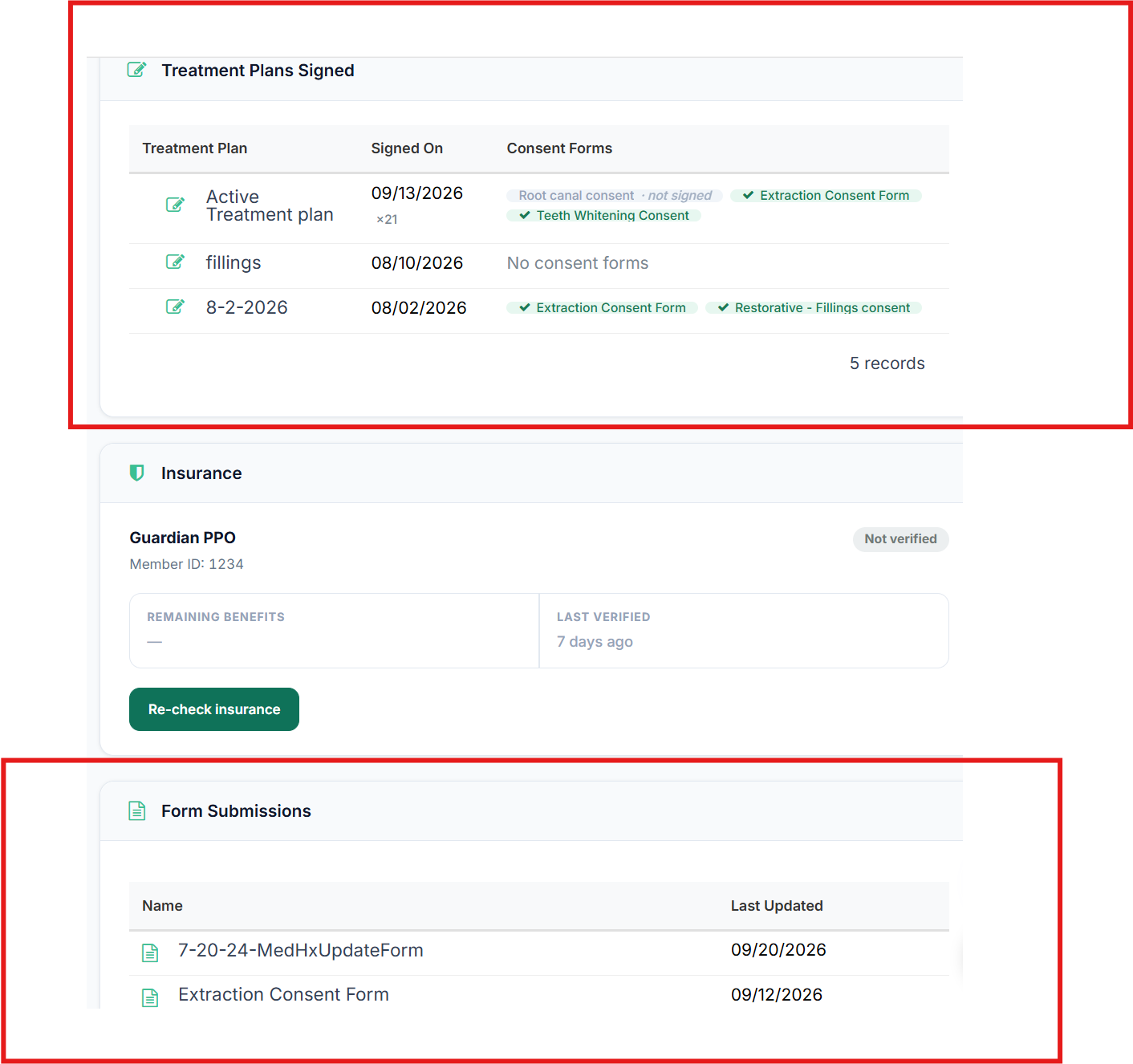
View your signed Treatment Plans and Forms with direct Links
Go from your Patient appointment in Open Dental directly to signed treatment plans or forms completed via one click
|
|
⚡Online Scheduling Update
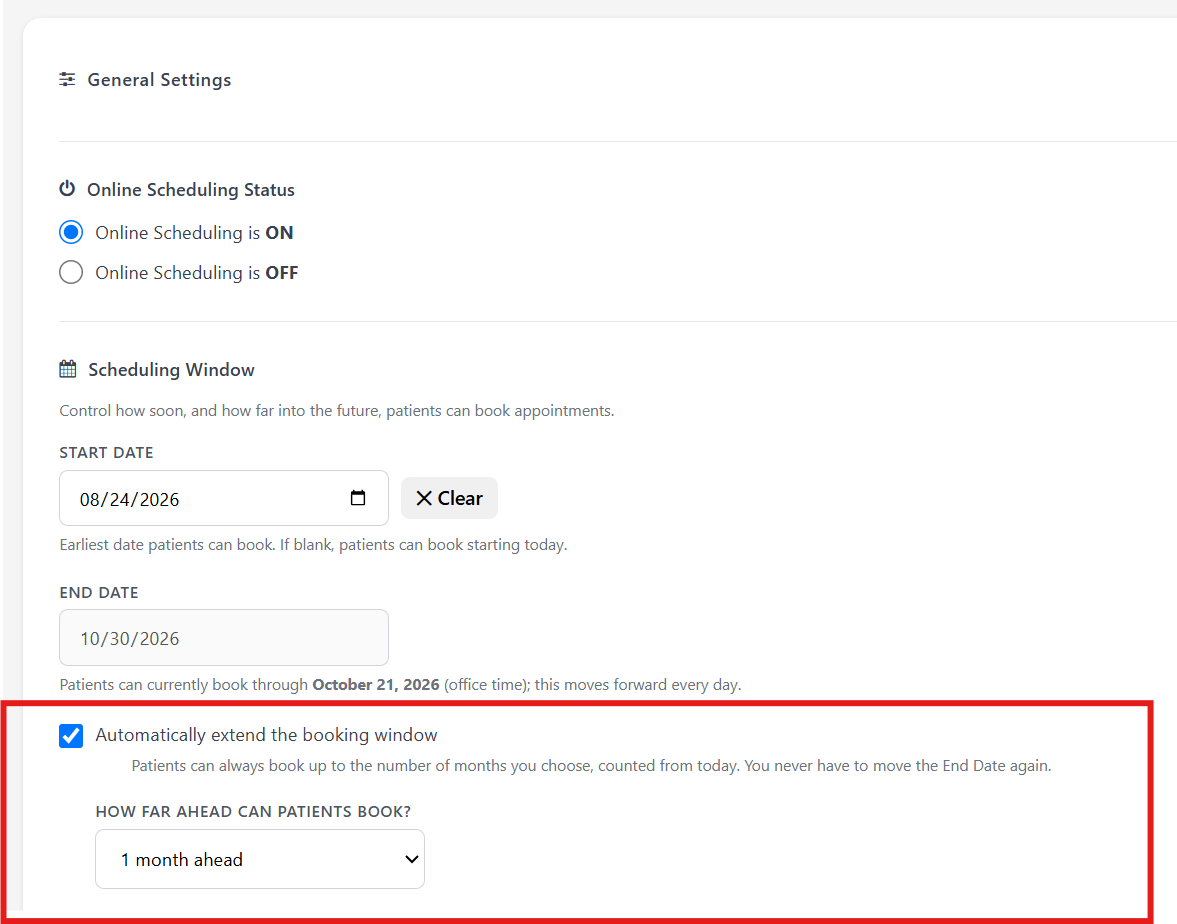
Automatically extend the booking window
Turn on automatic extension if you’re tired of remembering to come back and push the End Date out — once it’s on, the window keeps rolling forward on its own and there’s nothing left to maintain.
|
|
|
Tagging a link with UTM tracking for tracking Marketing ROI
A booking link is a short URL that opens your public booking page. Add UTM tags and the dashboard tells you exactly which placement — your website, Google, a campaign, a recall text — produced each booking.
A live Link Preview shows the fully tagged URL as you type. Select Copy Link to copy it, or Close to back out. A link with no UTM tags still works — those bookings just show as Direct in the dashboard.
|
|
|
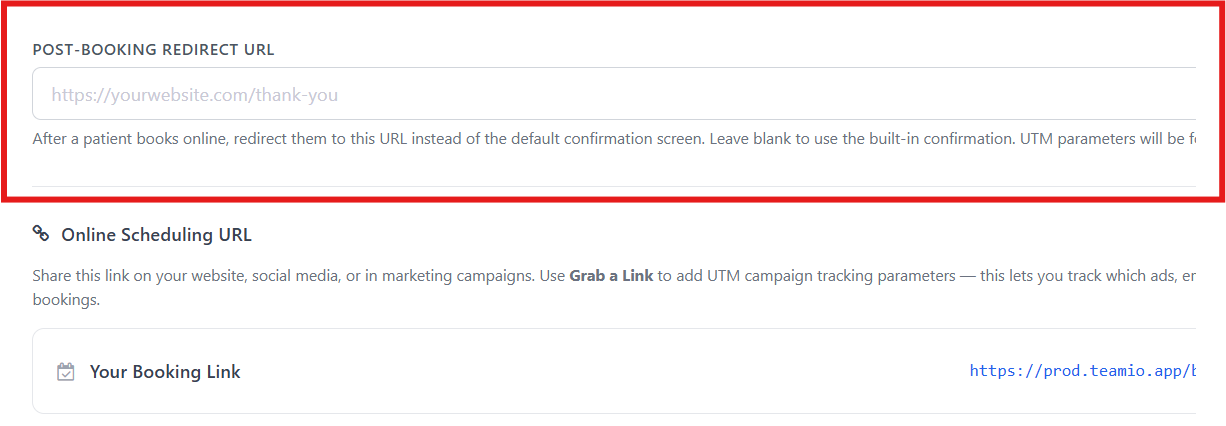
Custom Thank You Page links
After a patient books online, redirect them to this URL instead of the default confirmation screen. Leave blank to use the built-in confirmation. UTM parameters will be forwarded automatically.
|
|
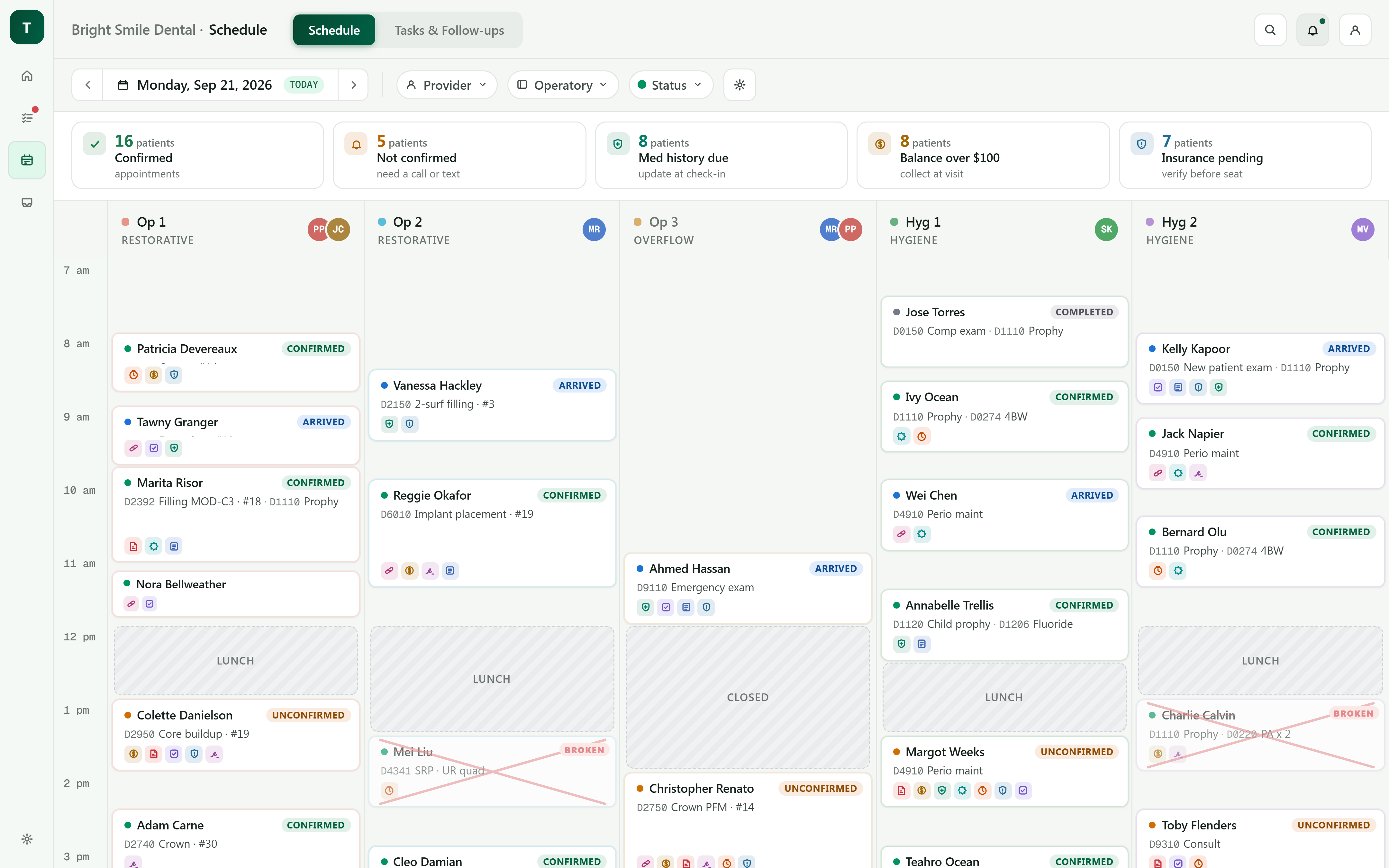
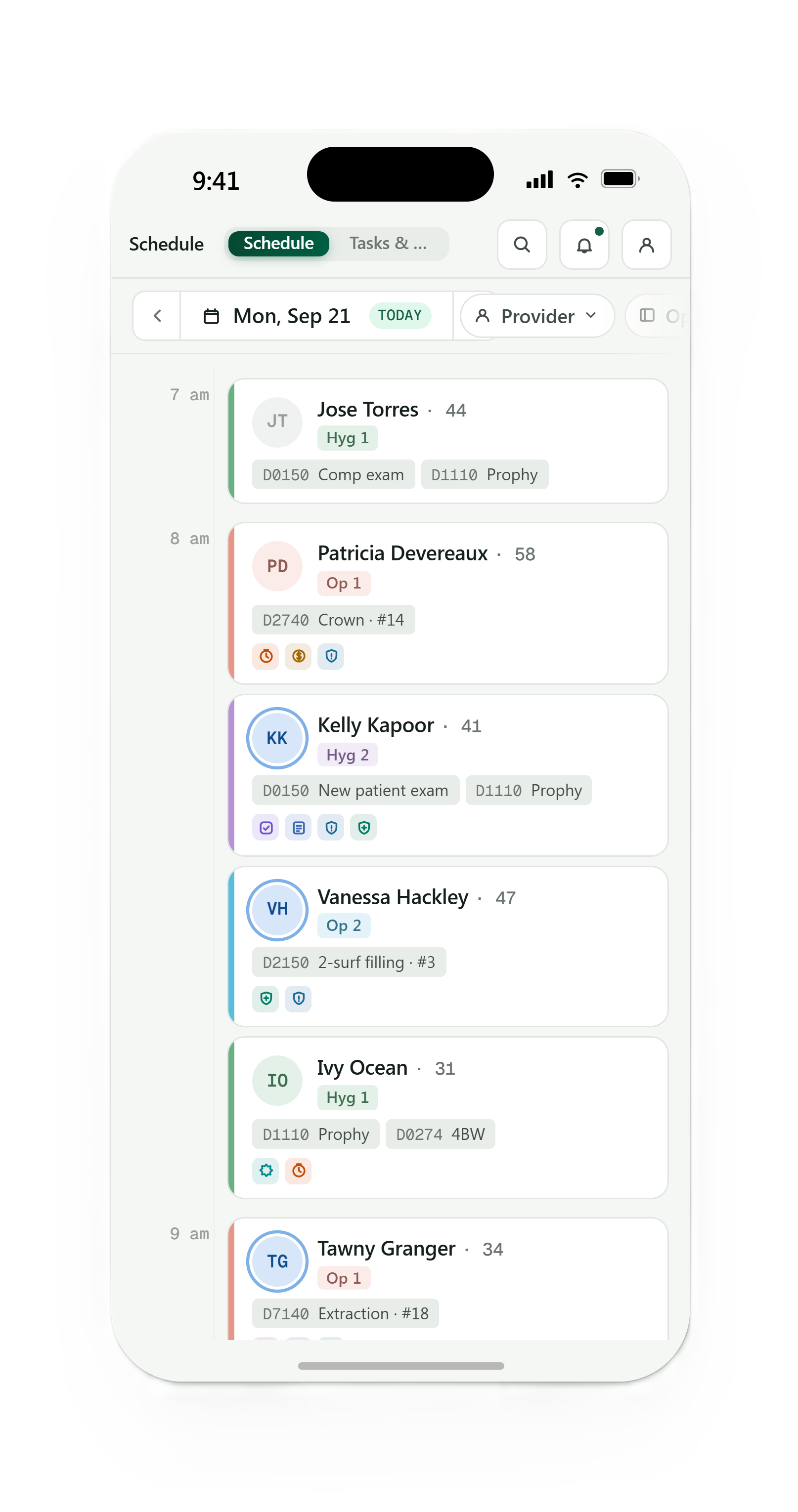
🛠️Currently in Development Chart Audit / Schedule View View your Open Dental Schedule on Mobile / Desktop / Tablet within any Timeframe Alerts on the Appointments indicate custom Audit Alerts from Office Settings |
|
|
|
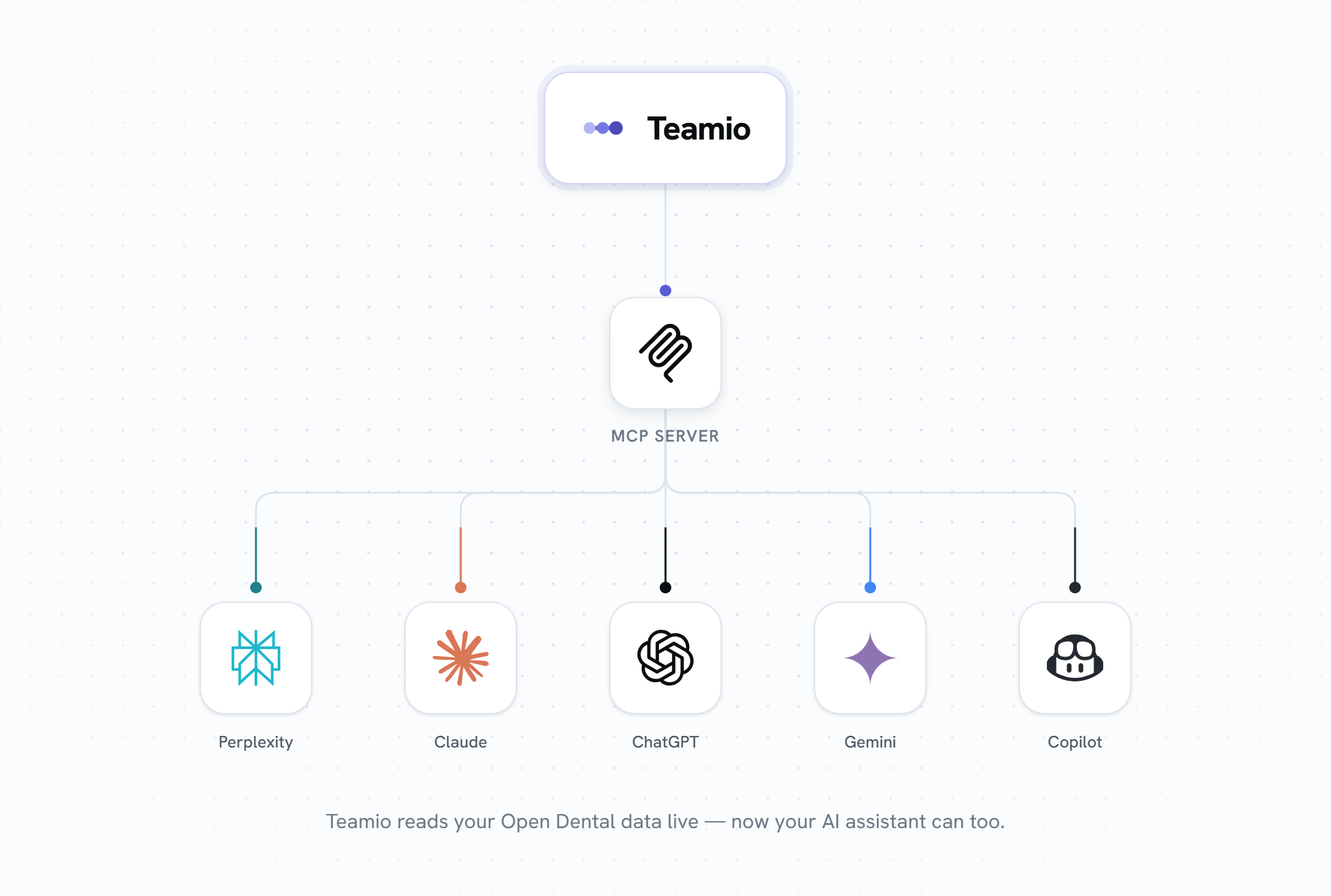
Connect Teamio to your AI assistant with an MCP Server Teamio's MCP (Model Context Protocol) server connects Teamio to your LLMs like Claude, ChatGPT, and other MCP-compatible AI assistants.
|
|
AI Virtual Receptionist for Front Desk Answer Incoming calls Schedule appointments directly into OD with Custom Rules Call Recording & Analytics Patient Sentiment analytics
|
|
p.s. After this update goes live, don't forget to do a hard-refresh (Ctrl+Shift+R on Windows, Cmd+Shift+R on Mac) to load the latest version.
p.s.s If you're not using Teamio yet, and are looking to streamline your operations and put systems in place that drive ACTUAL RESULTS - schedule a one-on-one call to get an in-depth look at how our Open Dental offices are utilizing Teamio! |
|
|