|
|
We have some more updates to the platform! We've introduced WhatsApp integration! Some patients just don't text — but they answer on WhatsApp.
Starting this week, Teamio can message your patients on WhatsApp, right alongside SMS. |
📸 What you get
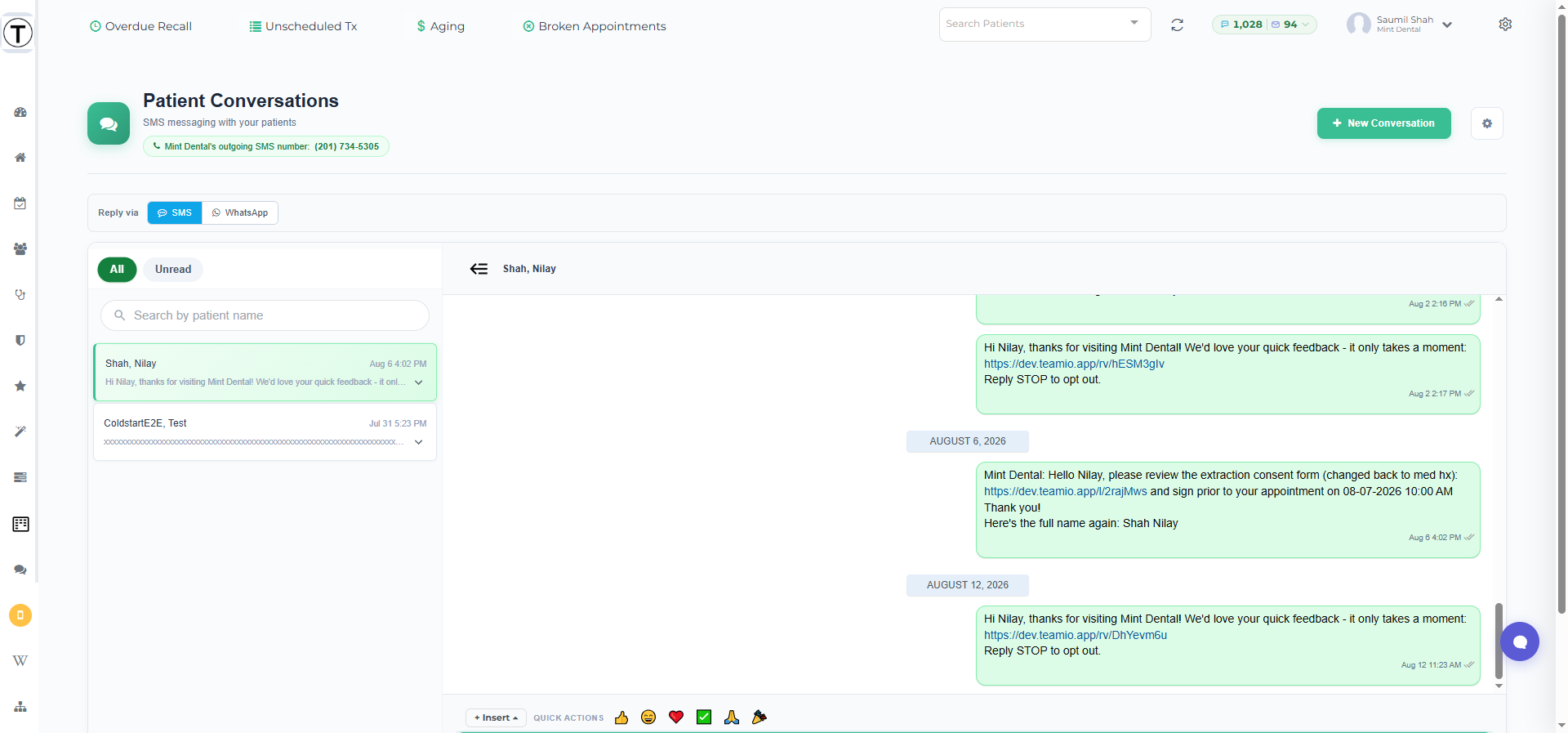
One inbox, two channels. WhatsApp messages from patients show up in Conversations next to your regular text messages. To answer on WhatsApp, just pick WhatsApp in the reply options at the top of the conversation.
|
|
Great for patients who prefer WhatsApp — including international patients and families who use it as their main messaging app.
Appointment reminders can go over WhatsApp too, with a reply-to-confirm that books straight back into your schedule — ask us and we'll set it up.
No new bills to think about. WhatsApp messages use the same credit pool as your texts — one credit per WhatsApp message.
|
Getting started takes one click
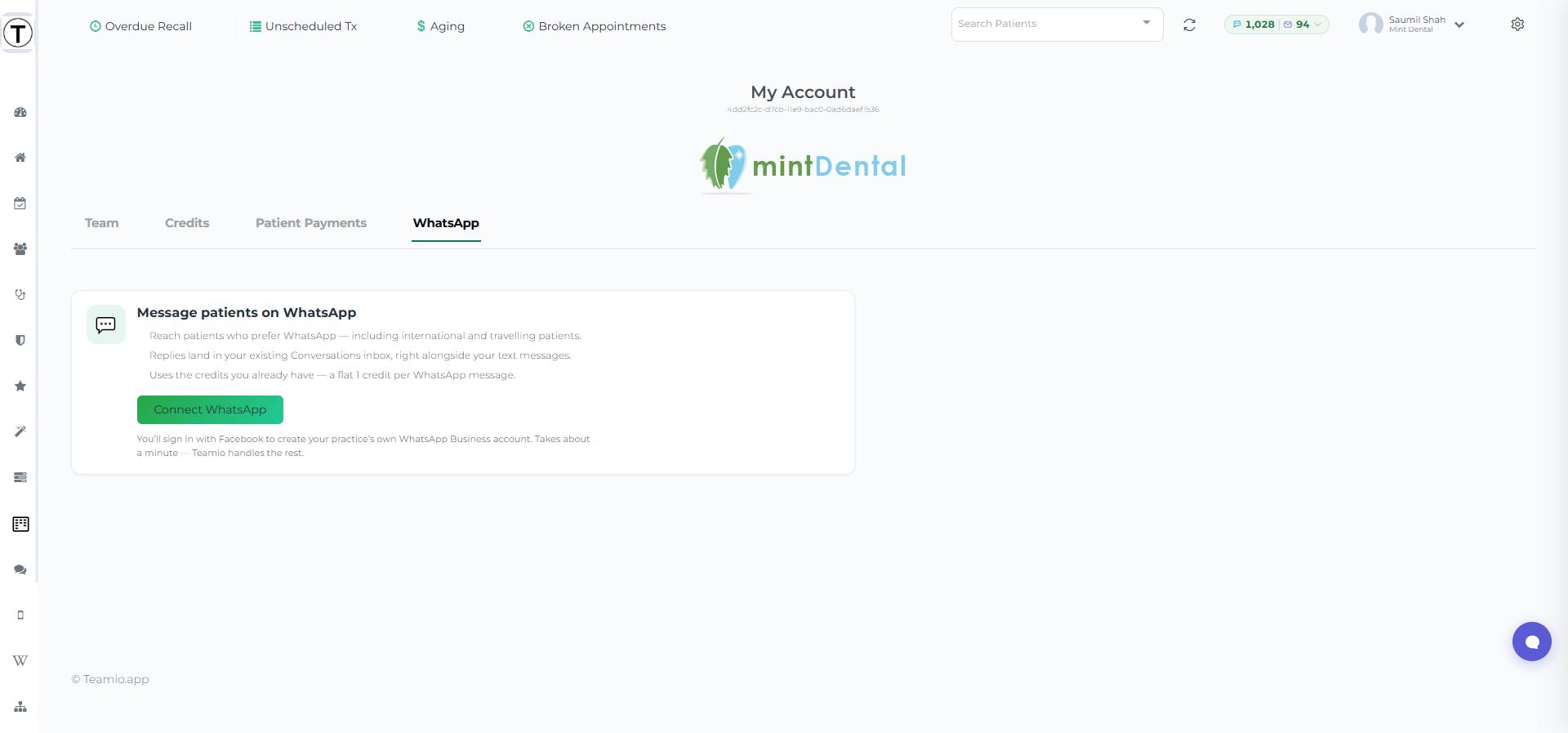
Go to My Account -> WhatsApp and press Connect WhatsApp.
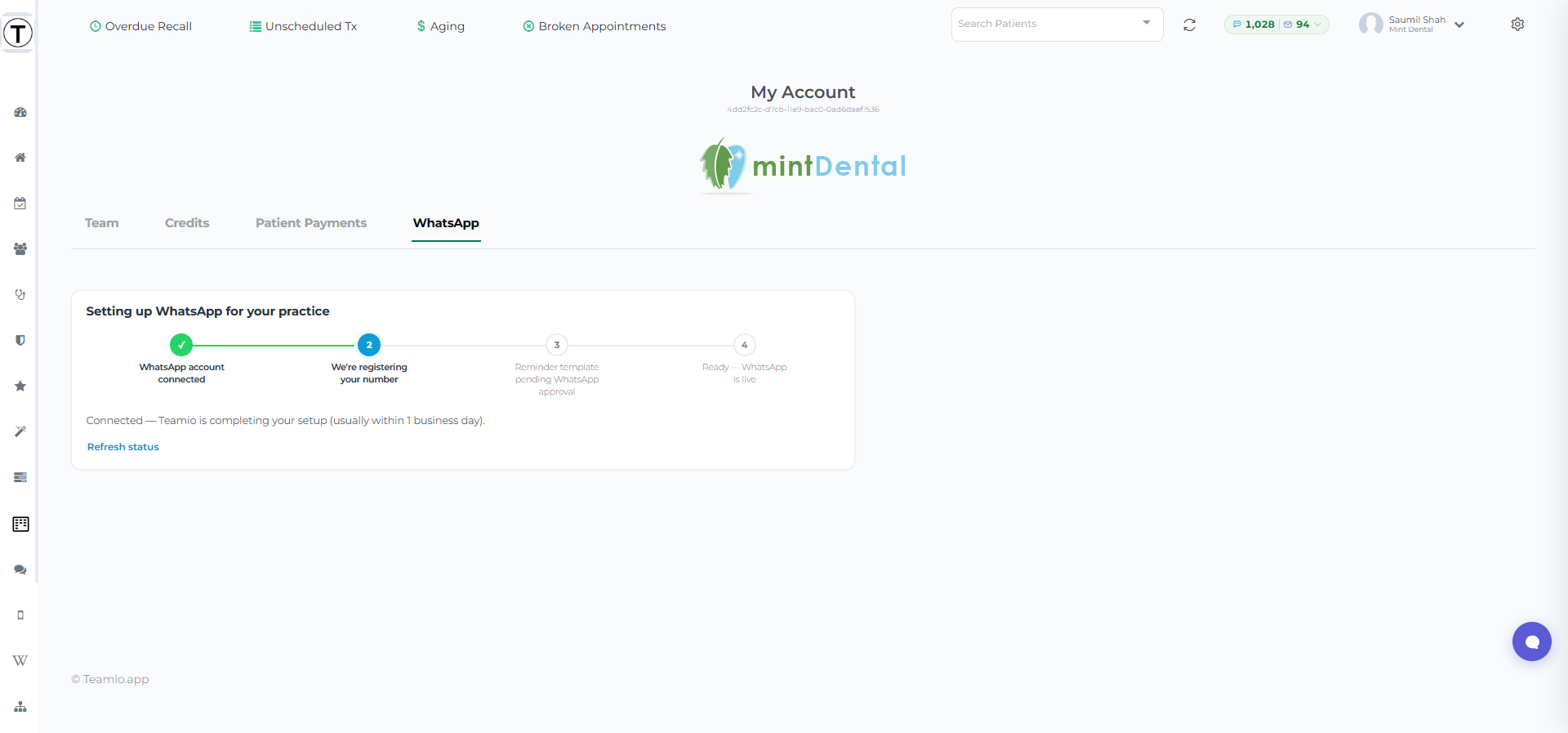
You'll sign in with Facebook once to create your practice's own WhatsApp Business account — that part has to be you, by WhatsApp's rules — and Teamio handles everything else from there. Most practices are live within a business day.
|
|
|
|
|
Not seeing the WhatsApp tab? It's available to practice admins — or just reply to this email and we'll get you set up.
Questions? Hit reply — we read everything.
|
|
👉 Unscheduled Treatment - stop losing the treatment that doesn't carry a price tag
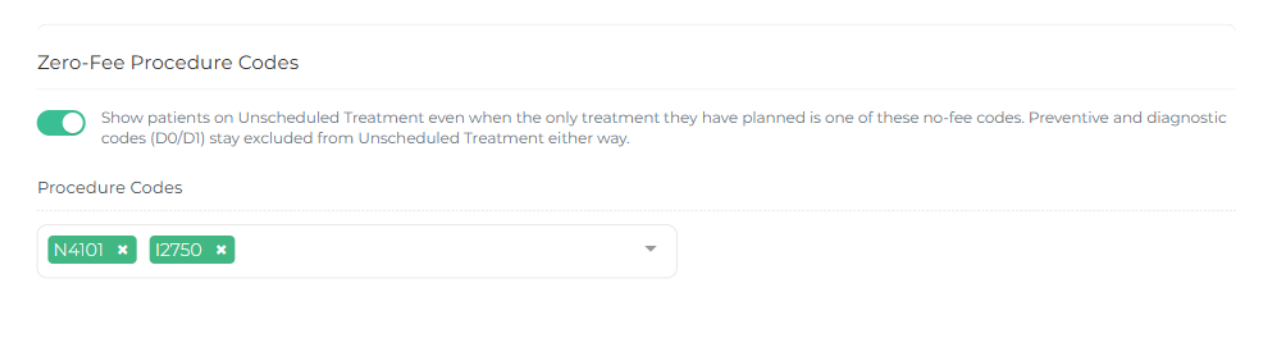
Zero-Fee Procedure Codes
If your practice plans treatment under procedure codes that carry no fee in Open Dental, those patients never reached your Unscheduled Treatment list — it only counted plans worth more than $0.
Real opportunities, invisible.
Now you decide which no-fee codes count.
Here's how to use it for manual follow-ups or through SMS/Email Campaigns
Filter your Unscheduled List by your zero-fee Consults If you've got a custom code for "Second Opinion" consults, track and put them on a custom list to follow-up by your team, or through automated SMS with Campaigns Re-engage with Invisalign / Clear Aligner consults that have dropped off
|
|
Under Settings → Unscheduled Treatment, switch on Zero-Fee Procedure Codes, pick your codes, and those patients appear on the list ready to work like any other. Preventive and diagnostic codes stay off, exactly as before.
Off by default — an admin turns it on when you're ready.
|
|
|
|
|
⚡ Automated Recall Reminder Messages Report
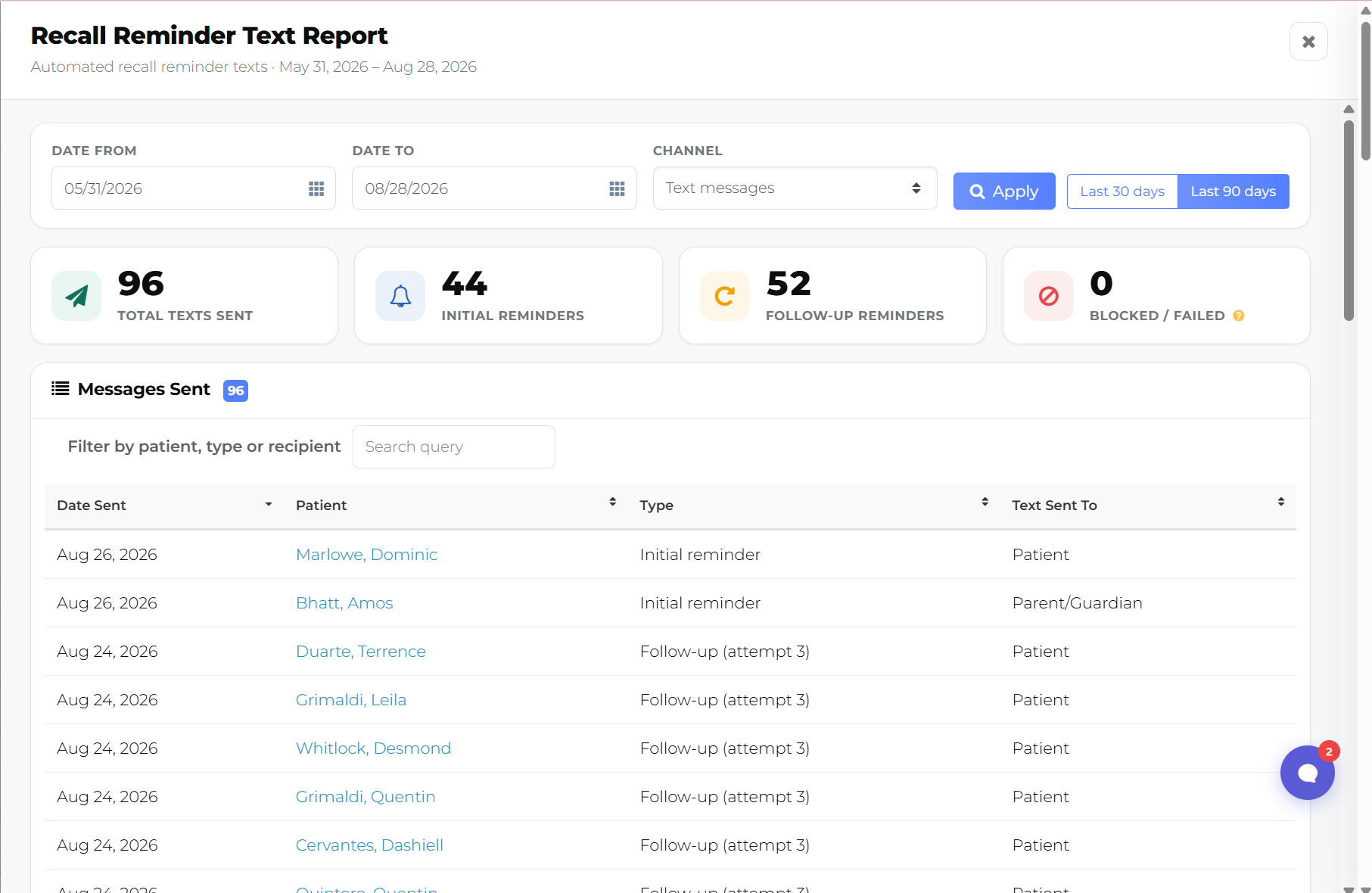
The Recall Reminder Text Report answers “how many recall reminders did we actually send?” — every automated reminder text or email that went out, for any date range you pick, without asking Teamio to pull it for you.
Where: Top navigation bar → Overdue Recall → the bar-chart icon in the Overdue Recall Patients card header
|
|
|
|
⚡Patient Payments Report
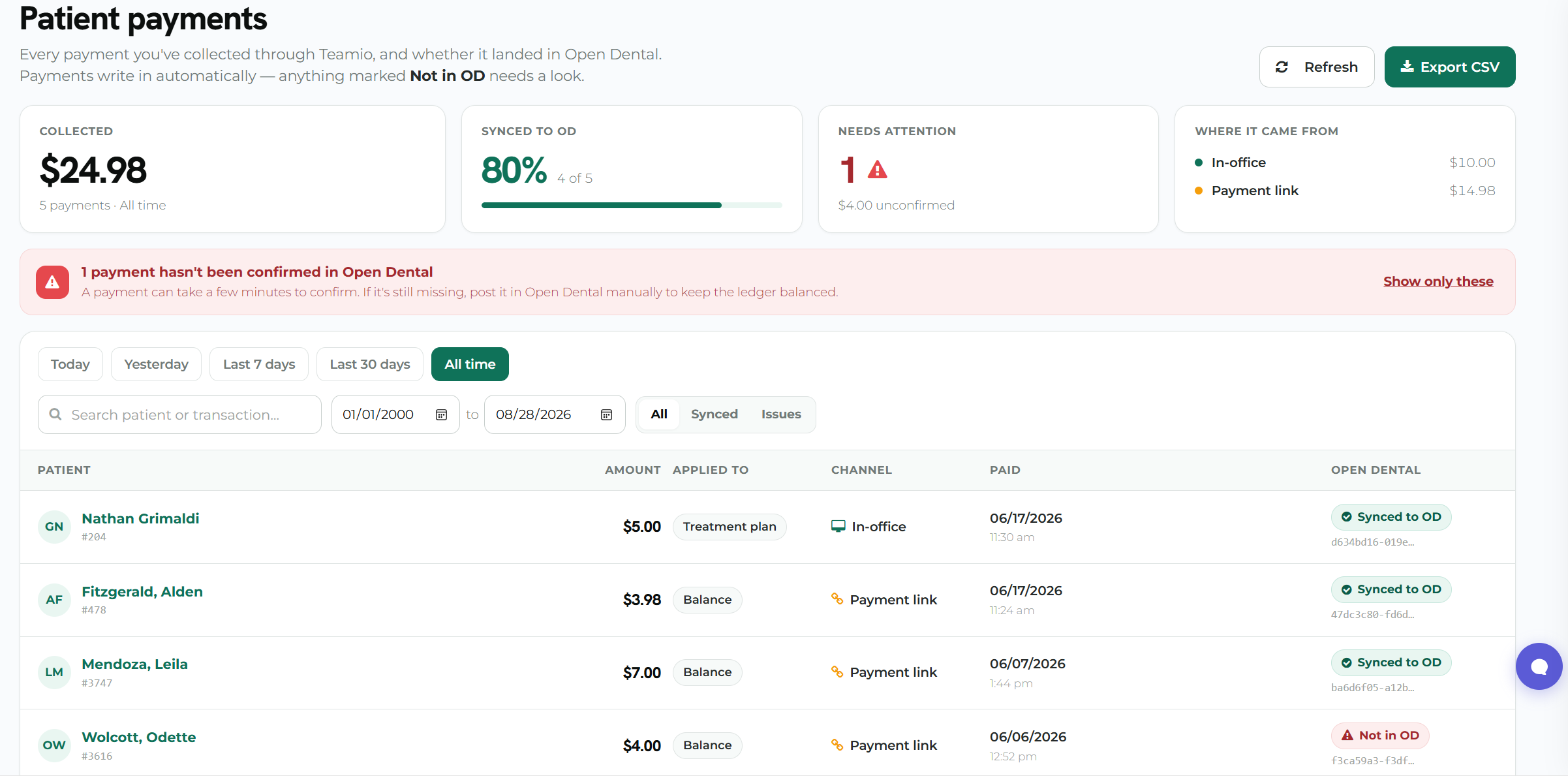
The Patient Payments report answers one question at the end of the day:
Did everything Teamio collected land in Open Dental?
It lists each payment, shows whether it posted, totals the day, and exports to CSV — so you can close out without cross-checking your processor’s portal.
|
|
|
p.s. After this update goes live, don't forget to do a hard-refresh (Ctrl+Shift+R on Windows, Cmd+Shift+R on Mac) to load the latest version.
p.s.s If you're not using Teamio yet, and are looking to streamline your operations and put systems in place that drive ACTUAL RESULTS - schedule a one-on-one call to get an in-depth look at how our Open Dental offices are utilizing Teamio! |
|
|