Subject: New in Tx Presenter - Exam photos, right on the plan 🔥


Hello everyone,


This one came straight from a demo call last week. An office asked me: "Can we show patients the photos we take during the exam, right on the treatment plan?"


We built it — and as of today it's live in your account.


Our goal is to always add only those things that will get your team to use the product and to help them get things done faster.


📸 Photos on Treatment Plans


Here's the thing about a treatment plan. To your team, "crown #12" is obvious. To the patient, it's a line item with a price next to it — and when someone doesn't understand what they're paying for, they don't say no. They say "let me think about it."


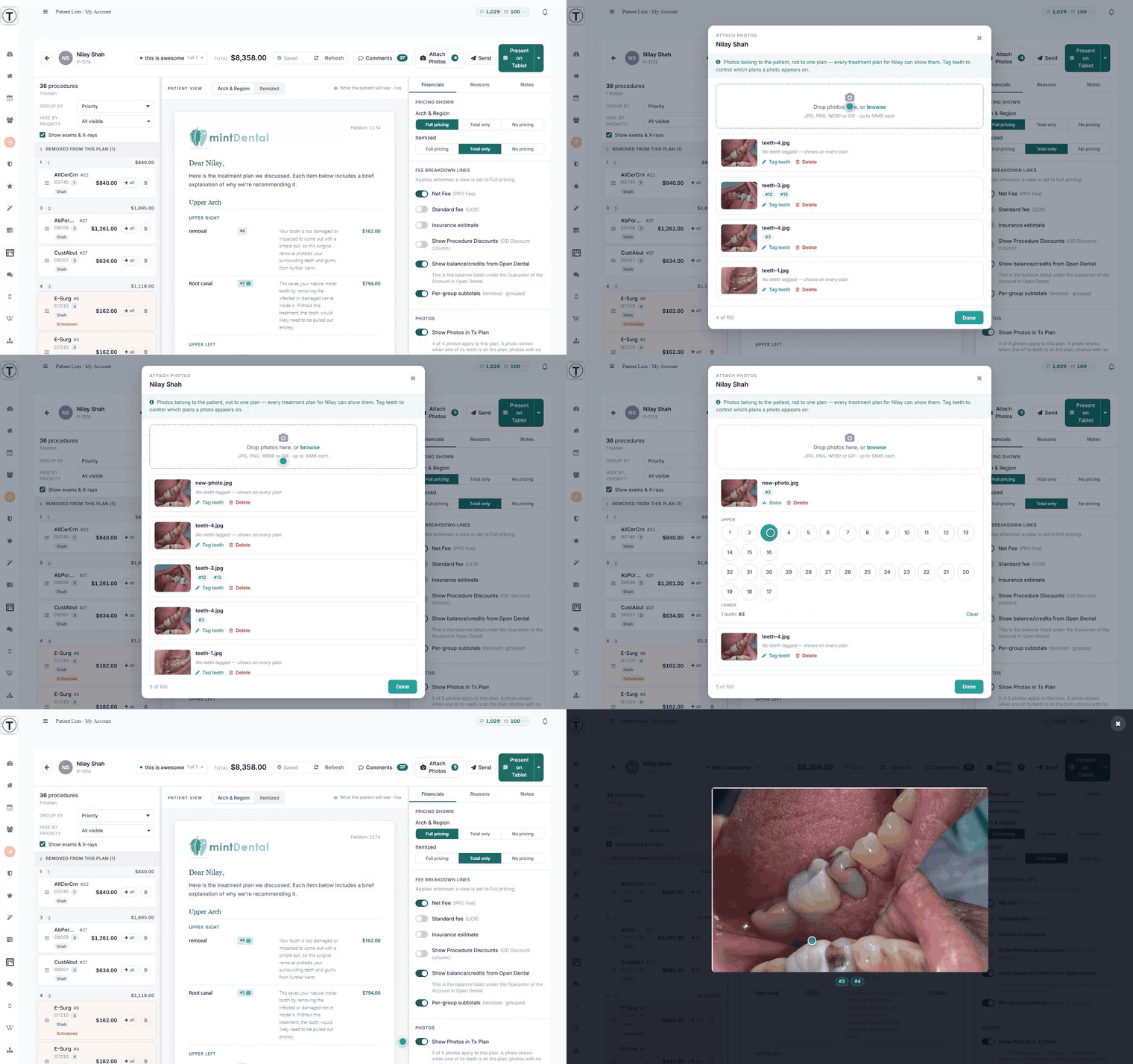
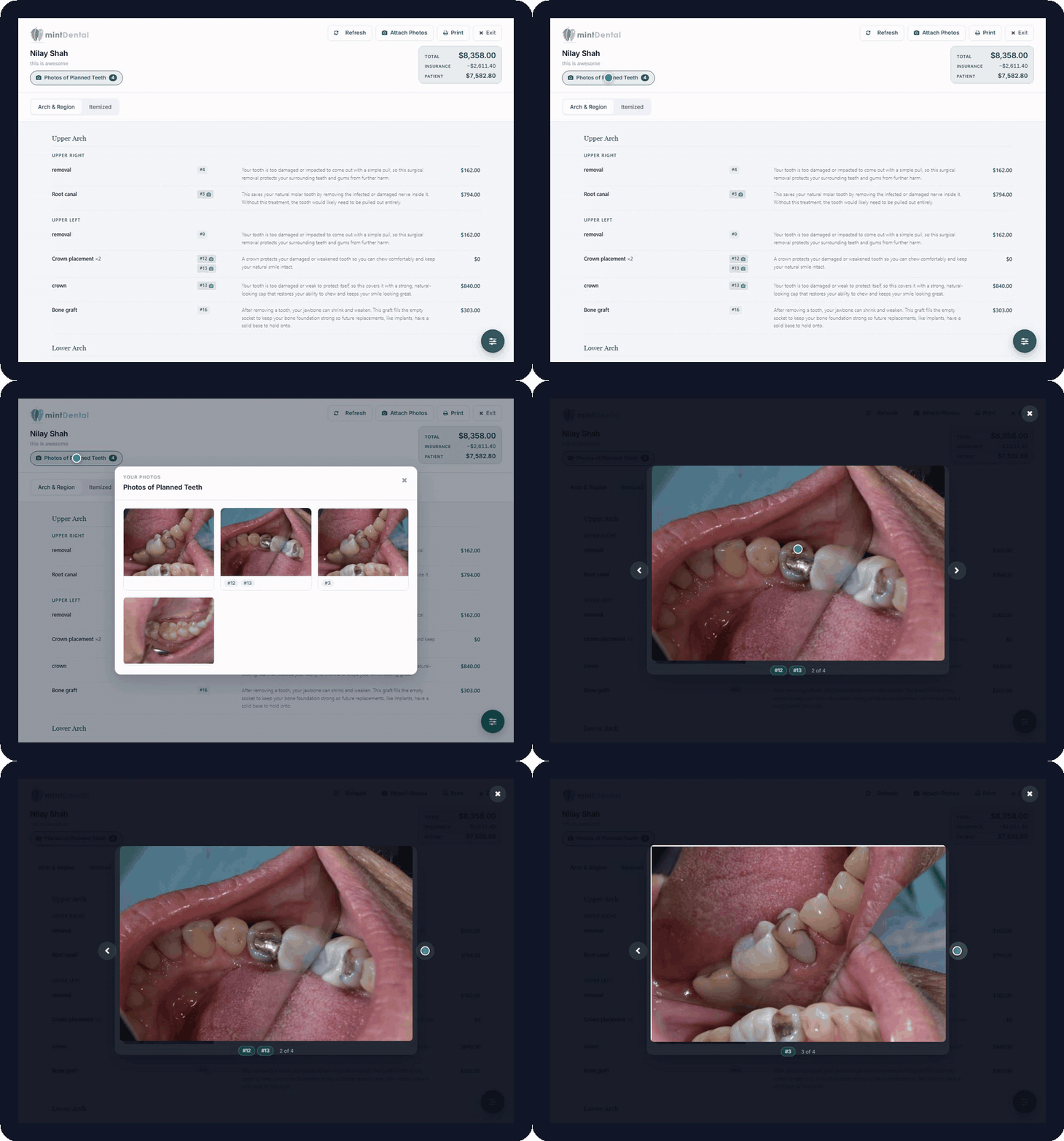
Now they can see it. Upload the intra-oral photos you already take during the exam, and Teamio shows them to the patient right on their plan — a small camera next to the tooth, and a Photos of Planned Teeth button that opens the whole set.


How it works:


  • Click Attach Photos while you're building or presenting a plan. Drop the photos in — that's it.

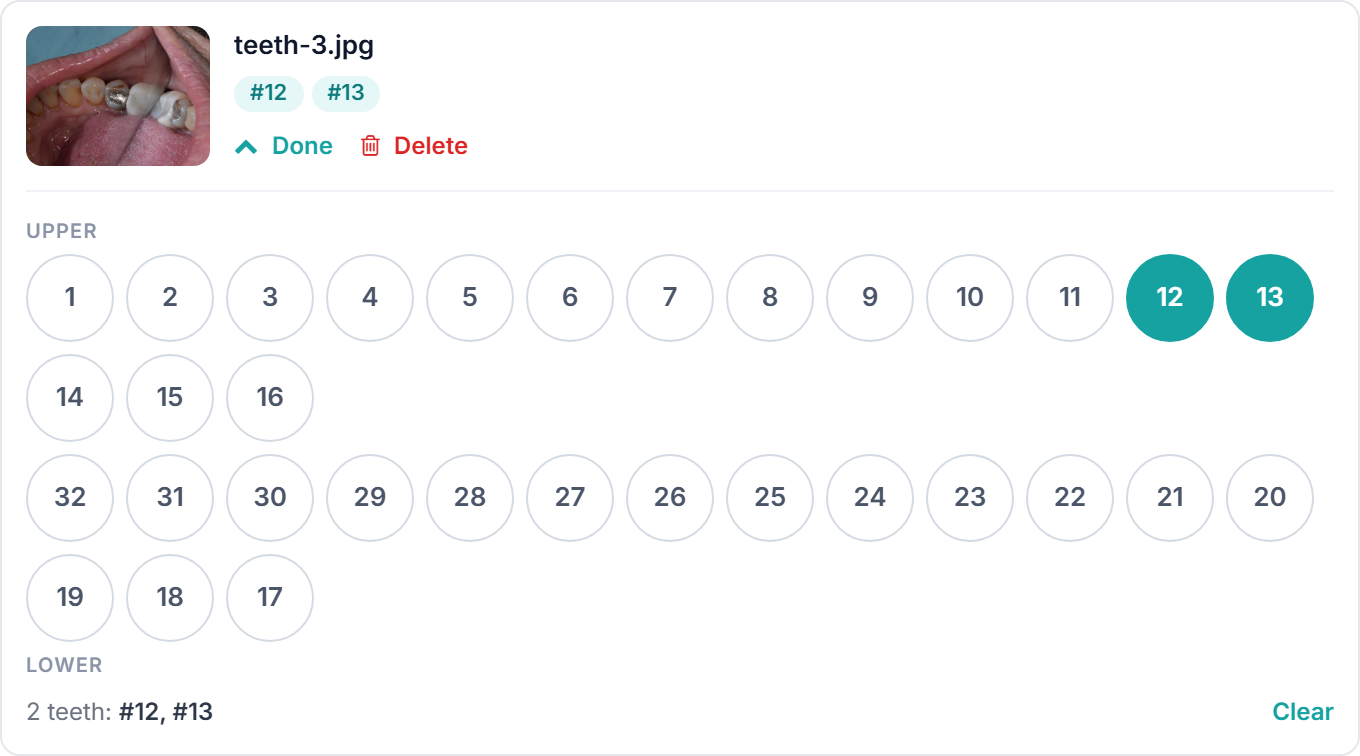
  • Tag each photo with the teeth it shows. It's a couple of taps on a tooth chart, and that's what puts the little camera next to the right tooth. Don't want to bother? Untagged photos just show on every plan.

  • Photos attach to the patient, not to one plan. Upload once, and every plan you build for that patient can show them. No more re-attaching the same photo to every version of the plan.

That last one matters more than it sounds. Most offices end up with two or three saved plans per patient — the ideal one, the phased one, the one they actually said yes to. The photo you took in the exam chair now follows the patient across all of them.


Tag the teeth a photo shows


Tagging is optional, but it’s what makes the camera icons appear next to the right teeth.


Chairside on the tablet, they tap the tooth and the photo fills the screen. And because it's on their plan link too, the spouse who wasn't in the room gets to see it at home — which is usually the person the patient has to talk to before they say yes.


A few things we made sure of:


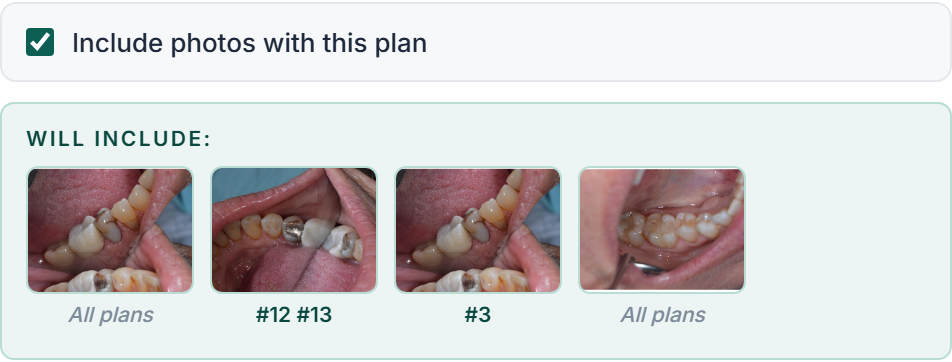
  • You stay in control, per plan. Every plan has a Show Photos in Tx Plan switch. On by default, off whenever you want it off.

  • You see exactly what they'll see before you send. The Send window shows a preview strip of every photo going out, with the teeth labelled underneath. One glance and you know it's right.

  • Private by design. Photos are only visible through the patient's own plan link. They don't get filed into Open Dental imaging, and they aren't part of the signed PDF.


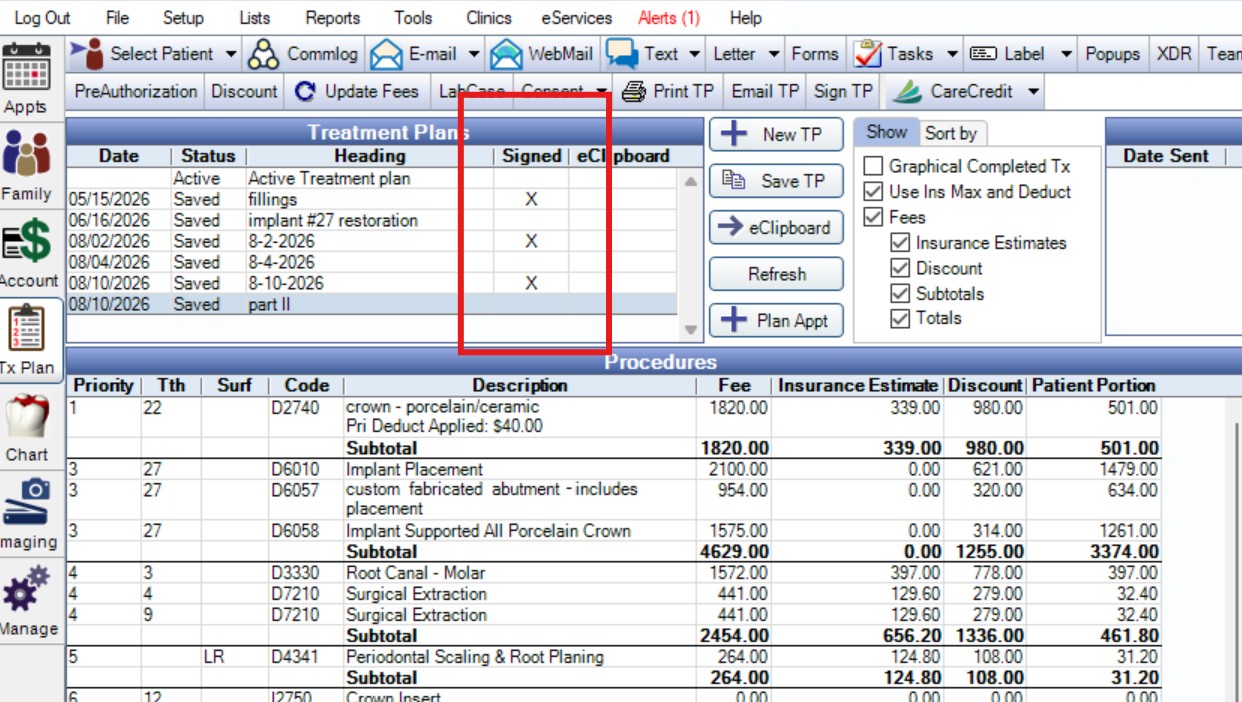
👉 Signing a Treatment plan puts the Signed “X” in Open Dental


Once a patient signs a tx plan - whether it's chair side, or while they're home - the Open Dental Treatment Plan module will display "X" next to the treatment plan signed.


🛠️ Currently in Development:

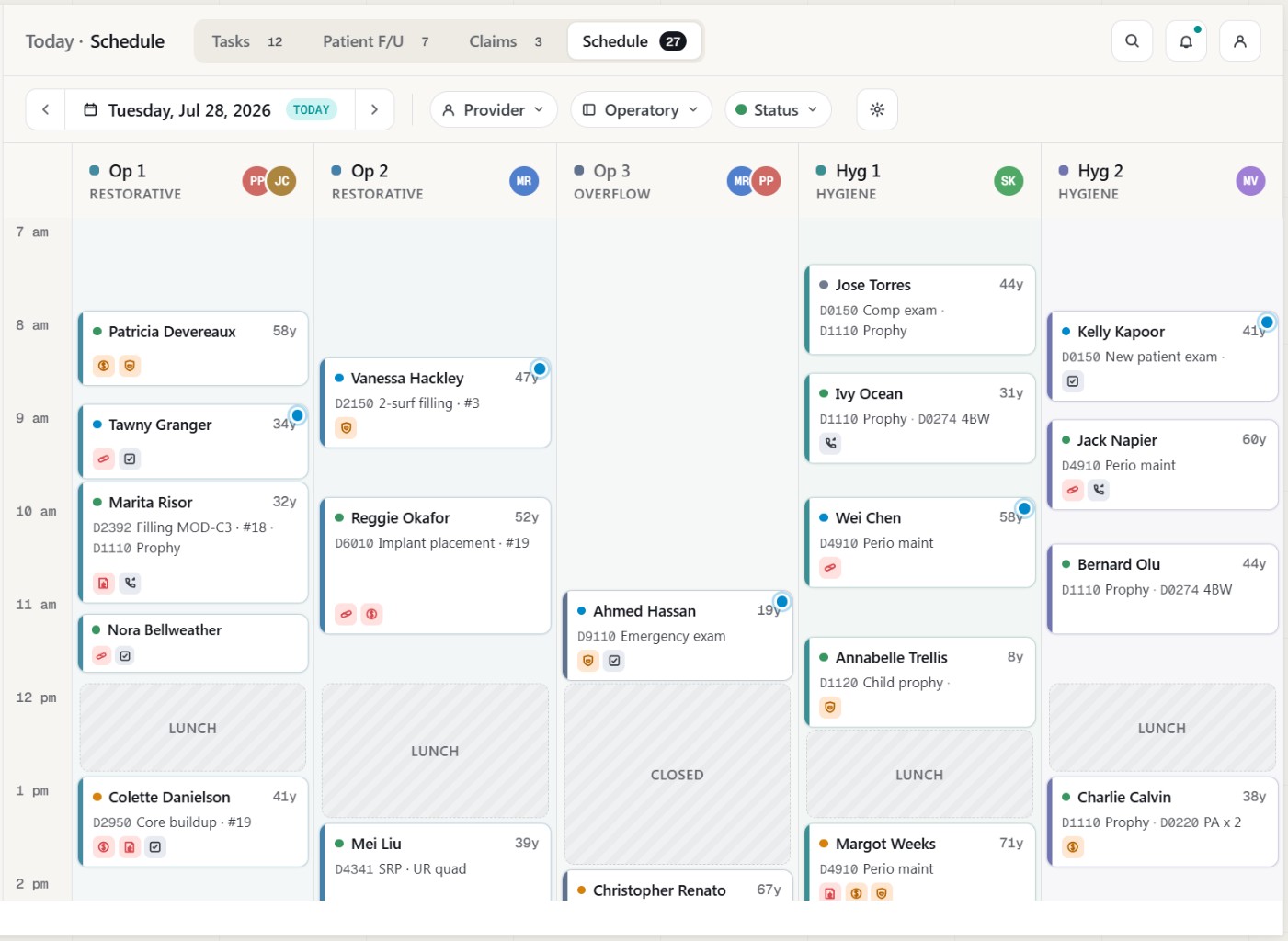
Chart Audit / Schedule View

View your Open Dental Schedule on Mobile / Desktop / Tablet within any Timeframe

Alerts on the Appointments indicate custom Audit Alerts from Office Settings


Other Features in Development:


AI Virtual Receptionist for Front Desk

  • Answer Incoming calls

  • Schedule appointments directly into OD with Custom Rules

  • Call Recording & Analytics

  • Patient Sentiment analytics


p.s. After this update goes live, don't forget to do a hard-refresh (Ctrl+Shift+R on Windows, Cmd+Shift+R on Mac) to load the latest version.


p.s.s If you're not using Teamio yet, and are looking to streamline your operations and put systems in place that drive ACTUAL RESULTS - schedule a one-on-one call to get an in-depth look at how our Open Dental offices are utilizing Teamio!


Talk soon,


Nilay Shah, DDS

Founder | Teamio.app