
Subject: 🌴Coin Collecting Update - Your New Pirate Guide is Ready to Download

Hey Friend
I just wanted to give you a couple of updates.
Firstly, great news - the Royal Australian Mint (RAM) released their 2025 Annual Report a couple of weeks ago, and that gave us details about the coin mintages for 2024 and the start of 2025.
This in turn allowed us to complete the new Pirate Guide, and we're just waiting to receive it from the printers.
Thank you again for your order and I'm sorry for the hold-up - the paperback books were delayed but we'll be posting your book within the next week once we receive it from our printer. We'll email tracking details once it's in the post.
Secondly, your new 'Pirate Guide to Collecting Australian Coins' ebook is ready! This email with give you details on how to access your new ebook (plus some tips on getting the most from it).
Part 1 - How to download your new files
Step 1: Find and open the email from your original Pirate Guide order.You should be able to find this email if you search your email inbox for the words:"Pirate Guide Order"
Step 2: Open the email and click the "View Your Order" button in the email:
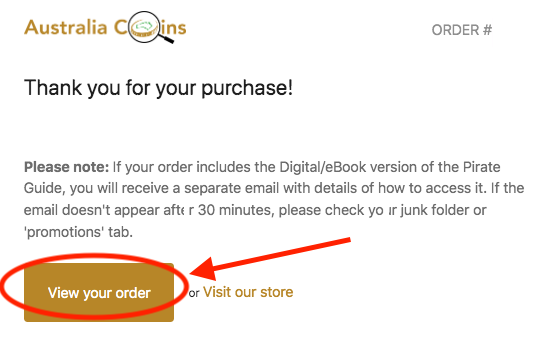
Step 3: When the Order screen opens, click the button that says "Download your Digital Pirate Guide here":

Or click "Send new link" to re-send the original email. This will send you a fresh order email with the download link above.

Step 4: Then just Download each of the files you would like to update:
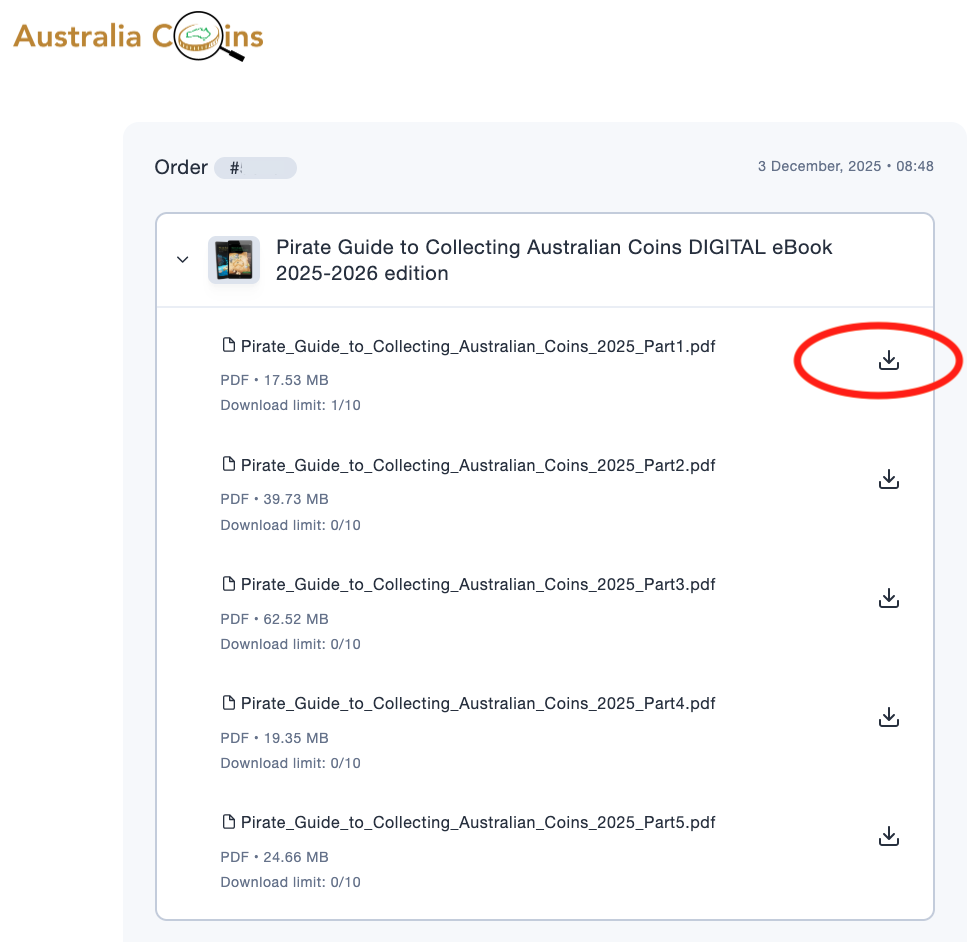
If you are opening the files on your computer, the files will be saved in your "Downloads" folder, and you can move them to your desktop or wherever you would like to save them for easy access.
Part 2 - How to save the files on your tablet or smartphone
If you want the files on your phone, there are 2 options.Option 1. Transfer them from your computer to your phone (eg using AirDrop), OR
Option 2. Open the files directly on your phone from the email
Step 1: Open the email (with the download links) on your phone
Step 2: Click the links one at a time to open the PDF file, so that it's open in the browser.
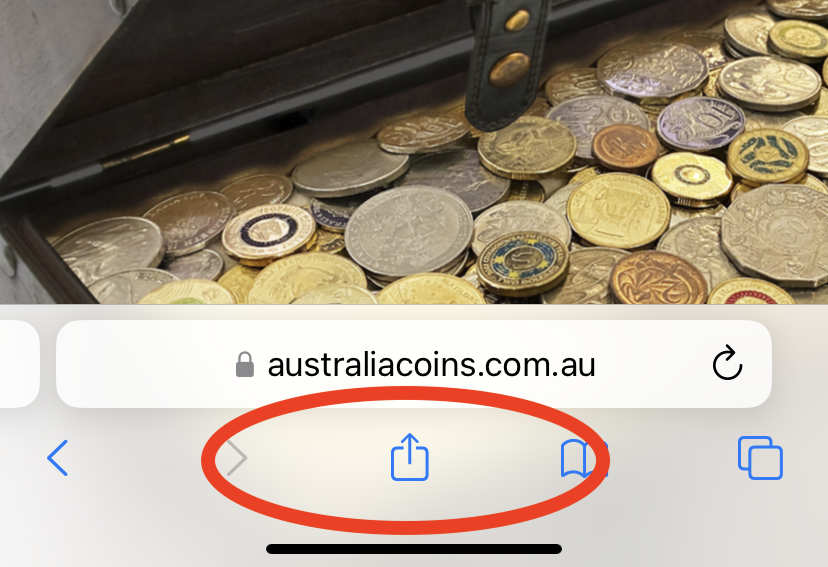
Step 3: Once the PDF is open in your browser, click the "Share" button at the bottom of the screen. (This is what it looks like on an iPad or iPhone):
Step 4: Choose "Save to files".
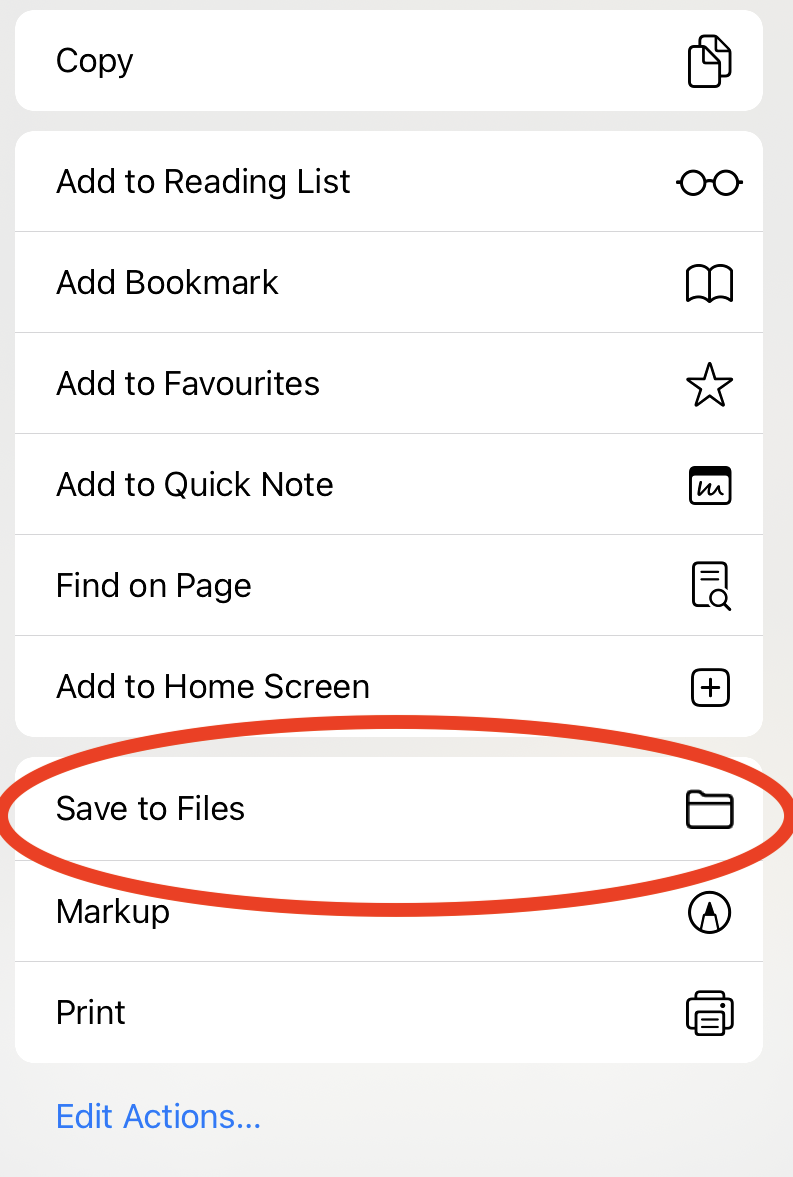
The files are saved in an app called 'Files' on an iPhone/iPad or 'My Files' on Android. This is what the 'Files' App looks like on an iPhone or iPad:
.jpg "Open Files")
Step 5: Open the 'Files' or 'My Files' app and the PDFs will be in the download folder:
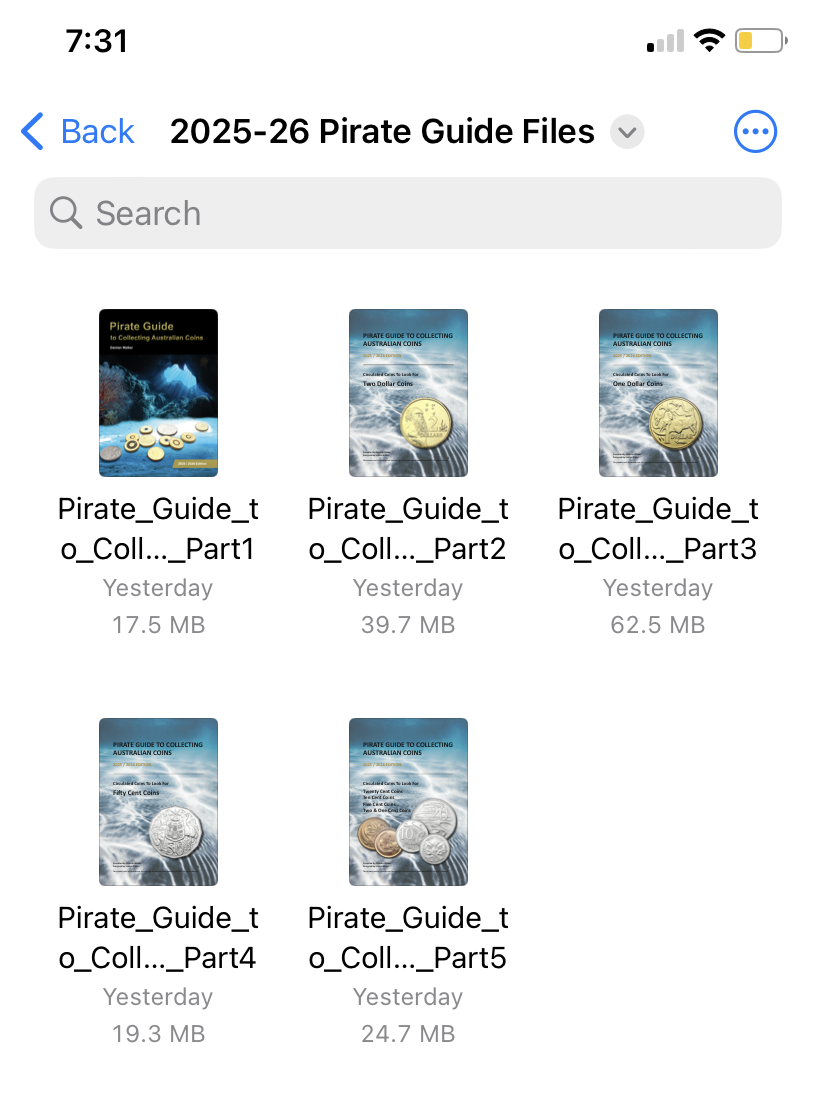
Then you can open the "files" app whenever you want without needing to download them again. 😃
Part 3 - Tips for using your Pirate Guide ebook.
There are five files in total:File 1 = Introduction and information about coins
File 2 = Two Dollars
File 3 = One Dollar
File 4 = Fifty Cents
File 5 = has multiple denominations from Twenty Cents through to One Cent.
Each file includes a cover-photo showing the denomination(s) it relates to.
Whenever you see "Note X.X" next to a coin, you can click on it and there is a hyperlinks that will take you to that specific note with more information about the coin.
At the top of each file, you'll find a summary of the notes from file 1 (so that you don't have to keep switching between files). For more information about those items, see the more detailed notes in File 1.
The coin images are designed so that you can zoom in and see all the details on the coins.
Part 4 - Support
If you have any issues with accessing your files or downloading the files (including download limits), please send me an email and I'll get back to you as soon as possible. I'm happy to help you get the files working smoothly.Enjoy your new Pirate Guide!
Cheers
Damian